
Add watermark
Stamp text such as CONFIDENTIAL or DRAFT across pages, put a logo or picture on them, or add a rubber stamp with the date.
or drop files here
You can also paste with Ctrl+V
A document we wrote for this: nothing of yours is used.
Processed on your device. Files are never uploaded.
Quick facts
- Takes
- One PDF. A password-protected PDF is opened once its password is typed on the file card.
- Gives
- The same PDF with your text across each chosen page, diagonal, horizontal or reverse diagonal, in the color and transparency you set; or a picture or logo on each page; or a rubber stamp with the date.
- Runs
- In your browser. The file is never uploaded, and nothing is kept anywhere.
- Plan
- Free, with no account and no watermark: 10 tasks a day, on files up to 50 MB and 100 pages. Pro has no daily count and takes files up to 500 MB, with no page limit.
- Preview
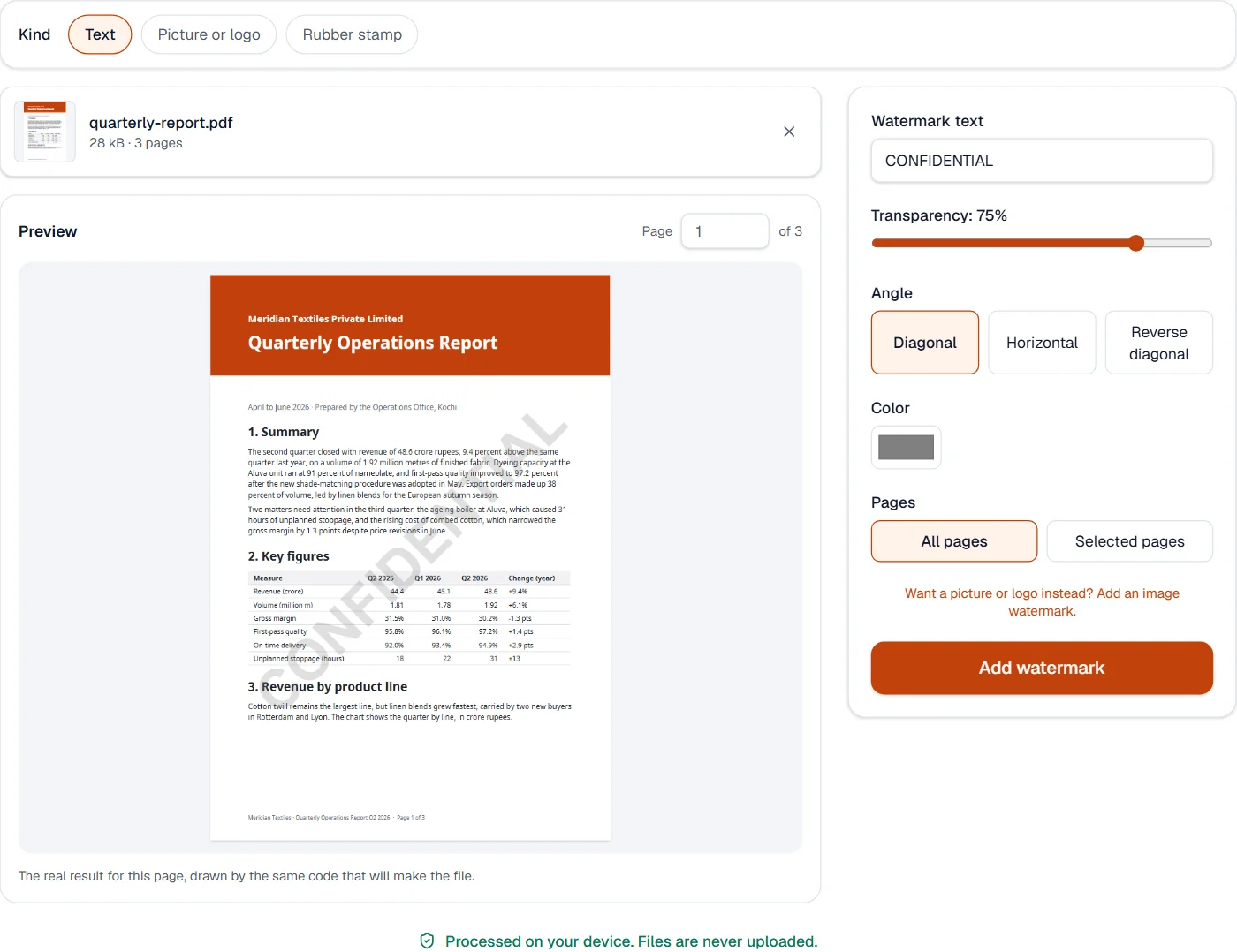
- The page shows the watermark as the file will carry it, drawn by the same code, and updates as you type or move a slider.
Text on the page, sized to the page
The text is drawn once on each chosen page, centered, in a bold standard font sized to fill most of the page’s shorter side, and turned by the angle you chose. Transparency comes from a graphics state in the file, so the text under the watermark stays readable and selectable, and the watermark itself is text too: it copies and prints as text does. Pages that are turned or cropped get the watermark upright and centered on what is shown.
Because the font is a standard Latin one, the text must be Latin letters, digits and punctuation; for a watermark in an Indian script, add a text box in Edit PDF, which has the fonts. A picture or a logo goes on with the Picture or logo choice above the files, and a rubber stamp with Rubber stamp.
Measured on our sample file
| Sample | Pages | Input | Output | Time |
|---|---|---|---|---|
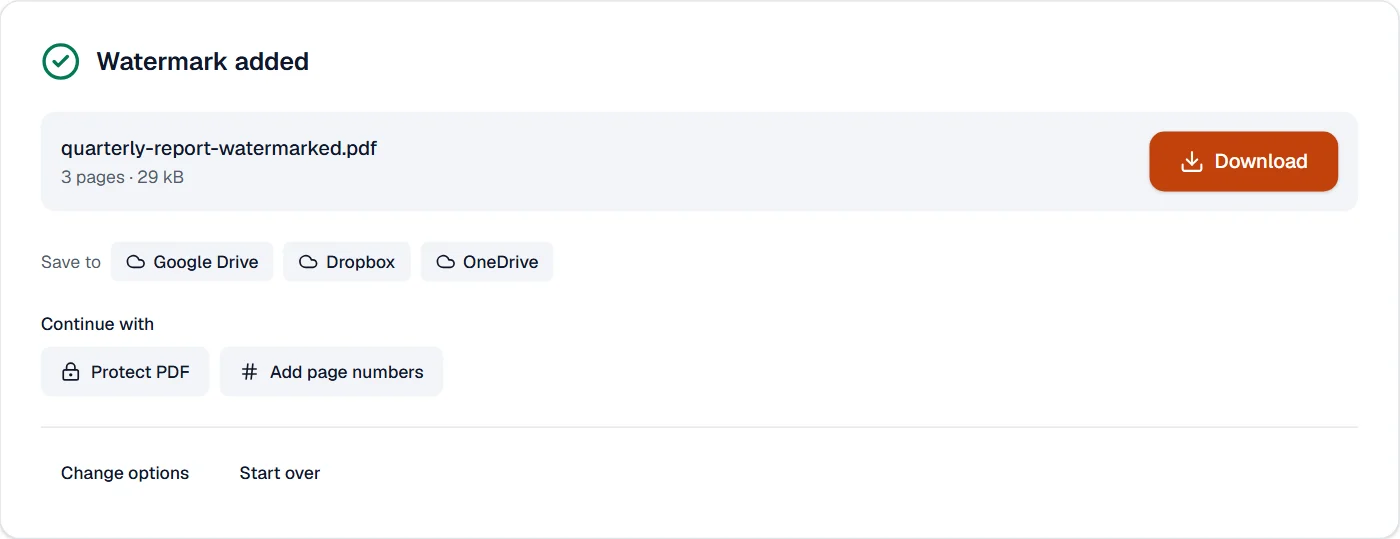
| Text report | 3 | 28 kB | 29 kB | 0.2 s |
Read it as what the watermark costs: about a kilobyte for the text and the font’s name, however many pages it goes on.
What it looks like
A picture or logo
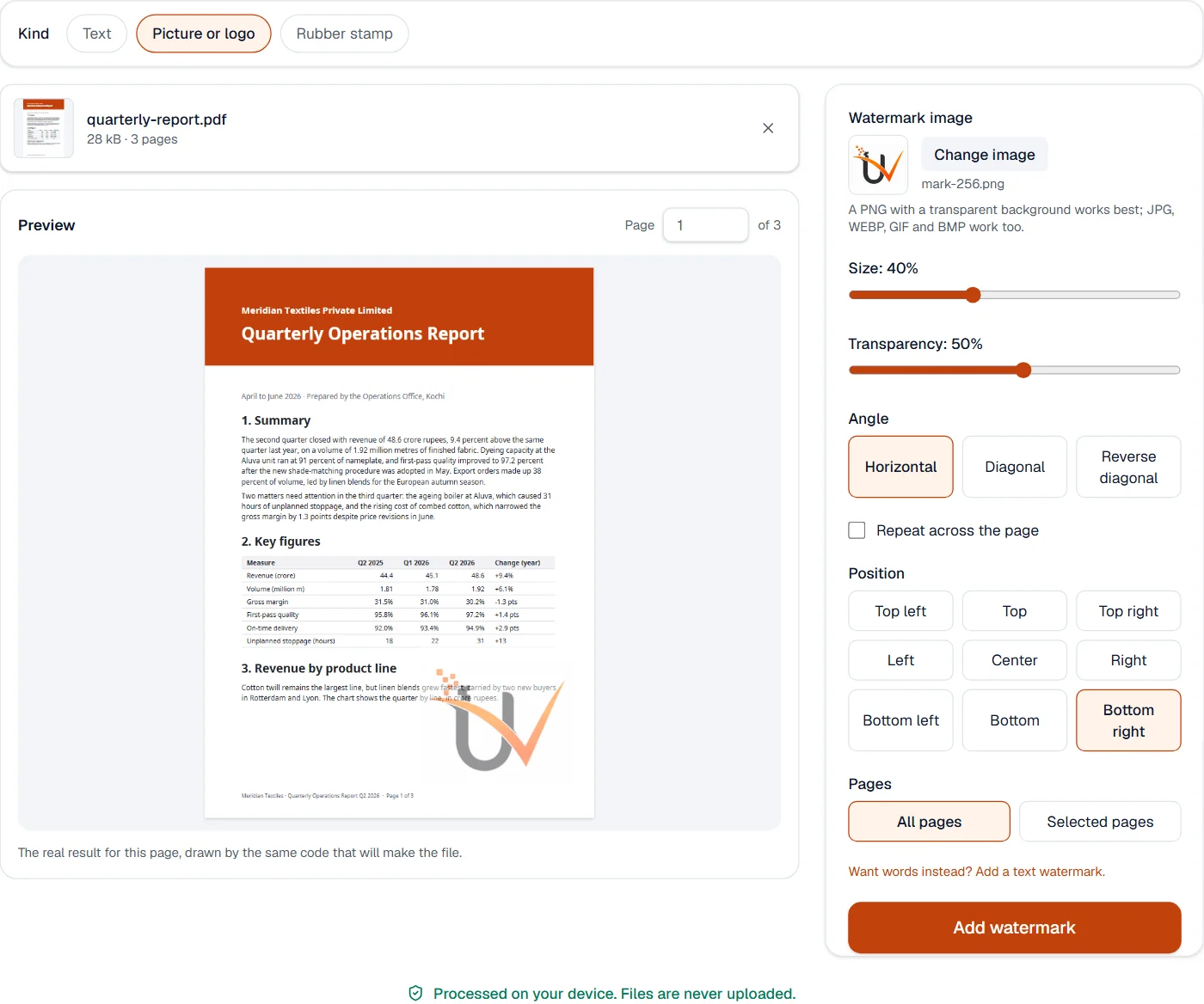
Choose Picture or logo above the files to put a JPG or PNG on each page, as faint or bold as you like, in one place or repeated across the page.
Quick facts
- Takes
- One PDF and one picture up to 20 MB: JPG, PNG or WebP, and whatever else the browser can read, which is redrawn as PNG.
- Gives
- The same PDF with the picture on each chosen page: sized as a share of the page, placed in one of nine positions or repeated across the page, turned, and faded as you set.
- Runs
- In your browser. Neither file is uploaded, and nothing is kept anywhere.
- Plan
- Free, with no account and no watermark: 10 tasks a day, on files up to 50 MB and 100 pages. Pro has no daily count and takes files up to 500 MB, with no page limit.
- Preview
- The page shows the picture as the file will carry it, drawn by the same code, and updates as you move a slider.
One picture, placed on every page
The picture is stored once in the file and drawn on each chosen page at the size and place you set, through a graphics state that gives it the transparency; a PNG with a transparent background keeps it, so a logo sits on the page without a box around it. Turned and cropped pages get the picture upright on what is shown. For words rather than a picture, Add watermark draws text.
Measured on our sample file
| Sample | Pages | Input | Output | Time |
|---|---|---|---|---|
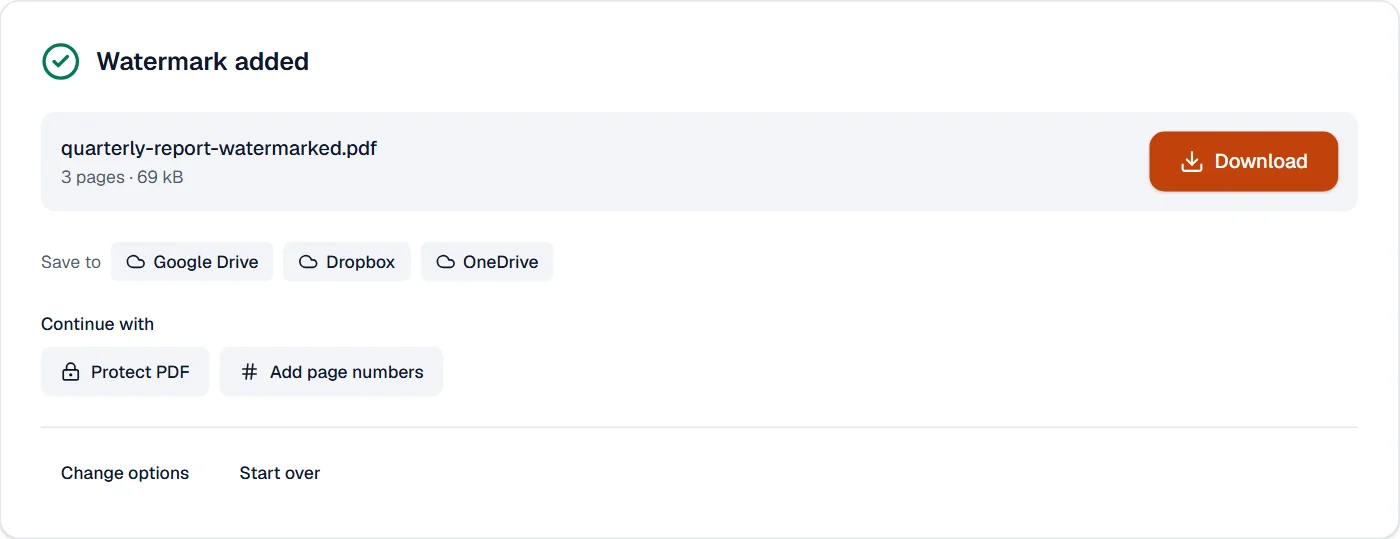
| Text report | 3 | 28 kB | 69 kB | 0.2 s |
Read it as what the watermark costs: the picture once, however many pages it goes on. A photo used as a watermark adds its whole size; a small PNG of a logo adds little.
What it looks like
A rubber stamp
Choose Rubber stamp for APPROVED, DRAFT, CONFIDENTIAL, PAID, RECEIVED, COPY or your own words, with the date, in one of four inks, on the pages you choose.
Quick facts
- Takes
- One PDF, or several with Pro.
- Gives
- The pages with a framed stamp, turned 12 degrees, in red, blue, green or black, at one of nine places, with the date below if you like.
- Runs
- In your browser. The file is never uploaded.
- Plan
- Free, with no account and no watermark: 10 tasks a day, on files up to 50 MB and 100 pages. Pro has no daily count and takes files up to 500 MB, with no page limit.
- Scripts
- Every script the site supports, Indian scripts included, shaped correctly.
A stamp drawn into the page
The words are laid out with the site’s own fonts and drawn as text, so the stamp can be searched and copied, inside a frame with cut corners, a little transparent so the page shows through. It is turned around its middle and placed so that, turned, it still clears the page’s edges. It is part of the page, not a comment: a reader cannot hide it. For a faint word across the page, use Add watermark.
Measured on our sample file
| Sample | Input | Output | Time |
|---|---|---|---|
| Rental agreement | 41 kB | 46 kB | 0.3 s |
What it cannot do
- Write in Hindi, Tamil or another Indian script. The watermark font is a standard Latin one, and such text is refused rather than drawn wrong; the editor's text boxes have the fonts.
- Repeat the text across the page. One watermark is placed on each page.
- Remove a watermark from a file. Redact PDF removes what was drawn, the editor's whiteout covers it.
- Make a watermark impossible to remove. It is a layer like any other, as every watermark is.
- Use an SVG. JPG, PNG and WebP work; HEIC depends on the browser.
- Remove the background of a picture. Use a PNG with transparency.
- Place the picture differently on each page.
- Make a stamp that cannot be removed. It is drawn into the page; Protect PDF stops further changes.
- Sign the document. A stamp shows a status; signing is done in Fill and sign PDF or with a certificate.
If something goes wrong
- The watermark font cannot draw a character
- Use Latin letters, digits and punctuation. For another script, add the text in the editor as a text box, which has fonts for those letters. Open Edit PDF
- The watermark is hard to read, or too strong
- The preview is the real result. Change the transparency or the color until it reads the way you want, then press the button.
- This PDF is protected. Enter its password to continue.
- Open it in Unlock PDF with its password first. Open Unlock PDF
- The picture could not be read
- Open it in Convert image, save it as PNG, and choose that. Open Convert image
- The picture is too large
- Pictures up to 20 MB are taken. Resize it first; a watermark needs far fewer pixels than a photo has. Open Resize image
- This PDF is protected. Enter its password to continue.
- Open it in Unlock PDF with its password first. Open Unlock PDF
- The stamp covers text
- Choose another place for it, or a smaller one by choosing fewer words.
- This PDF is protected. Enter its password to continue.
- Type the password on the file card; it never leaves your device.
About Add watermark
Add watermark stamps text such as CONFIDENTIAL or DRAFT across the pages of a PDF, at the angle, size, color and transparency you choose. It marks documents before sharing them without changing their content.
How to use Add watermark
Add the PDF.
Type the text and set its size, angle, color, transparency and the pages to stamp.
Choose Add watermark and download the stamped document.
Frequently asked questions
- Can the watermark be removed later?
- It is drawn into the page content, so it cannot be switched off in a viewer. Keep your unmarked original for later edits.
- Can I use a logo instead of text?
- Yes; Add image watermark places a picture, once or tiled, with the same control over size and transparency.
- Does it work on every page?
- By default the watermark goes on every page; you can limit it to a range such as 2-10.
- Can I make the watermark lighter or darker?
- Yes. Set the transparency and the color; a light gray at high transparency marks a page without getting in the way of reading.
- Can this tool remove a watermark from a PDF?
- No, it adds them. To take marked areas out of a PDF you own, use Redact PDF; Edit PDF can delete text and pictures.
- Can the picture have a transparent background?
- Yes. PNG transparency is kept, so a logo sits on the page without a white box around it.
- Can I repeat the logo across the whole page?
- Yes. Tick "Repeat across the page" and the picture is tiled at the size and angle you set.
- Can the stamp be in Hindi or Tamil?
- Yes. The words are shaped with the site’s fonts, so a stamp in any of the Indian scripts the site supports is written correctly.
- Can I stamp only the first page?
- Yes, the first page is chosen to begin with; choose All pages or type the pages you want.
Related tools
- Add page numbersNumber pages with the position and style you choose, add a header and footer, or set the page numbers a reader shows.
- Edit PDFEdit the text of a PDF like in a word processor, add text, images, signatures, stamps, shapes, highlights and comments, and check the spelling of the whole file.
- Protect PDFAdd a password with strong AES-256 encryption.
- Flatten PDFMake form fields, comments and drawings a permanent part of the page.