
PDF to HTML
Turn a PDF into one web page: headings, paragraphs, lists, tables and pictures.
or drop files here
You can also paste with Ctrl+V
A document we wrote for this: nothing of yours is used.
Processed on your device. Files are never uploaded.
Quick facts
- Takes
- One PDF with text in it. A scan needs OCR PDF first. A password-protected PDF is refused until it is unlocked.
- Gives
- One .html file: headings, paragraphs, bold and italic, lists, tables with their header row, and the pictures inside the page itself, in reading order.
- Runs
- In your browser. The file is never uploaded, and nothing is kept anywhere.
- Plan
- Free, with no account and no watermark: 10 tasks a day, on files up to 50 MB and 100 pages. Pro has no daily count and takes files up to 500 MB, with no page limit.
- Safe
- The page declares a content security policy that forbids scripts and every request: it runs nothing and loads nothing from anywhere.
The structure of the document, not its layout
The page is rebuilt the way the PDF to text tool reads it, in columns and blocks, and each block becomes the element it is: a heading at its level, a paragraph, an ordered or unordered list, a table. Bold and italic runs keep their emphasis. The result reads on any screen, from a phone to a projector, because the text flows instead of copying where each word sat on the page.
Pictures are written into the page as data, so the single file is complete and can be mailed or archived on its own. Its policy, default-src 'none', means a browser opening it fetches nothing and runs nothing, whatever the PDF held.
Measured on our sample file
| Sample | Pages | Headings | Tables | Output | Time |
|---|---|---|---|---|---|
| Quarterly report | 3 | 9 | 2 | 5.9 kB | 0.3 s |
What it looks like
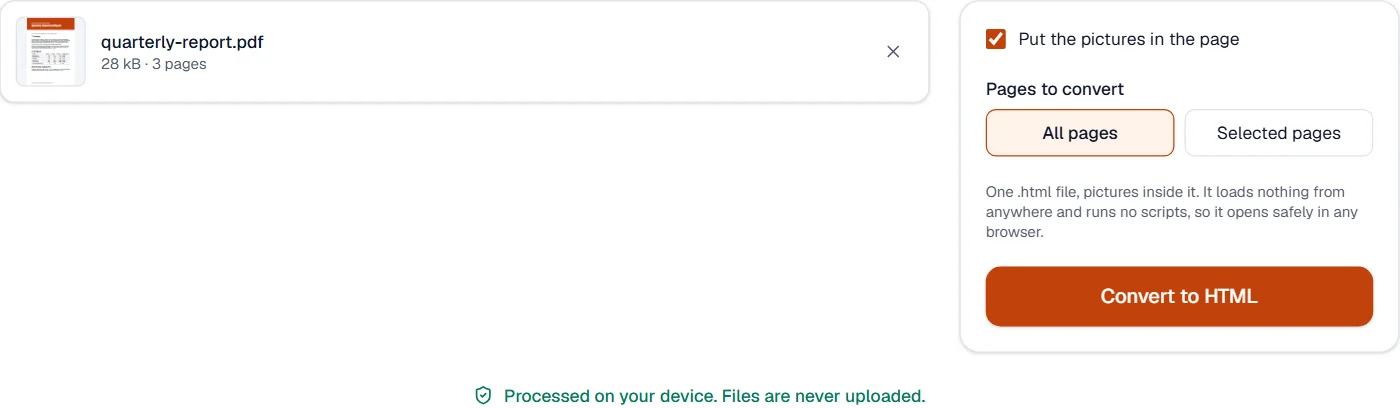
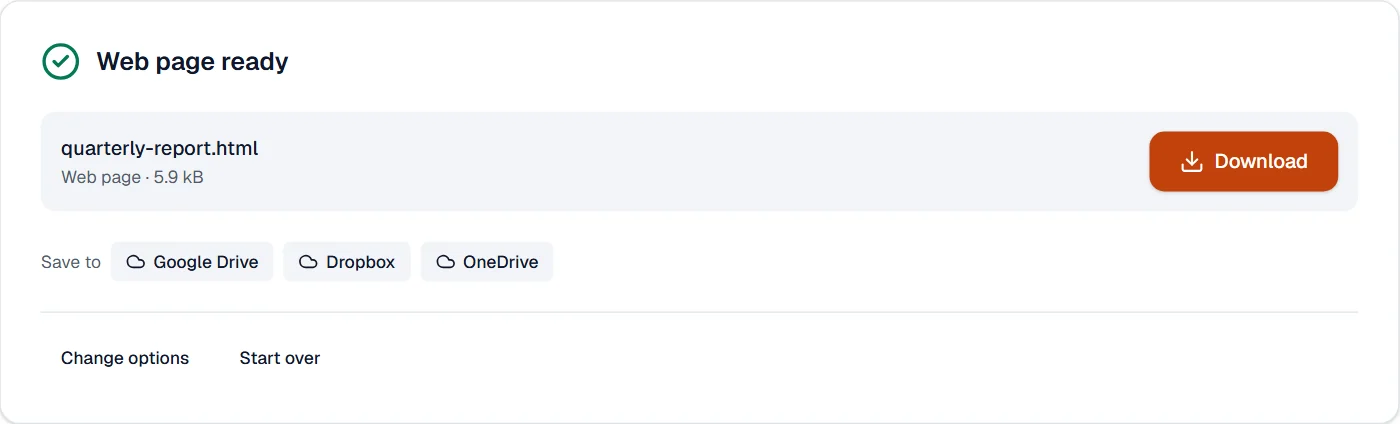
What it cannot do
- Copy the page's exact layout, with text placed where it sat on the page.
- Keep fonts: the page uses the reader's own fonts.
- Read text that is only a picture: run OCR PDF first.
If something goes wrong
- This PDF holds no text, only pictures of pages. Run OCR PDF first, then convert the result.
- Run OCR PDF on the scan, then convert the result. Open OCR PDF
- The file is large
- Pictures are inside it. Turn them off for text alone.
- A table came out as paragraphs
- Only tables drawn with lines are found. PDF to Excel may read it better. Open PDF to Excel
About PDF to HTML
PDF to HTML turns a PDF into a single web page: headings, paragraphs, bold and italic text, lists, tables and pictures, in reading order. The page is clean HTML, ready for a website, an email or an e-reader.
How to use PDF to HTML
Add the PDF.
Choose whether to include the pictures and which pages.
Choose Convert to HTML and download the page.
Frequently asked questions
- Does the page look like the PDF?
- It reads like it: the structure is kept and the text flows to fit any screen, rather than copying the page's exact layout.
- Where are the pictures?
- Inside the page, so the single file is complete.
- Is the page safe to open?
- Yes. It holds no scripts and loads nothing from anywhere; its own rules forbid both.
- Are tables kept?
- Yes, as HTML tables with their header row.
- What happens to scanned pages?
- Their recognized text is used. A page that is only a picture needs OCR PDF first.