
Flatten PDF
Make form fields, comments and drawings a permanent part of the page.
or drop files here
You can also paste with Ctrl+V
A document we wrote for this: nothing of yours is used.
Processed on your device. Files are never uploaded.
Quick facts
- Takes
- One PDF with form fields, comments, stamps or drawings. A password-protected PDF is opened once its password is typed on the file card.
- Gives
- The same pages with the fields and annotations drawn into them as plain content: nothing can be edited, moved or hidden any more, and the file opens the same in every reader.
- Runs
- In your browser. The file is never uploaded, and nothing is kept anywhere.
- Plan
- Free, with no account and no watermark: 10 tasks a day, on files up to 50 MB and 100 pages. Pro has no daily count and takes files up to 500 MB, with no page limit.
- Links
- Stay clickable unless you ask otherwise; everything else becomes part of the page.
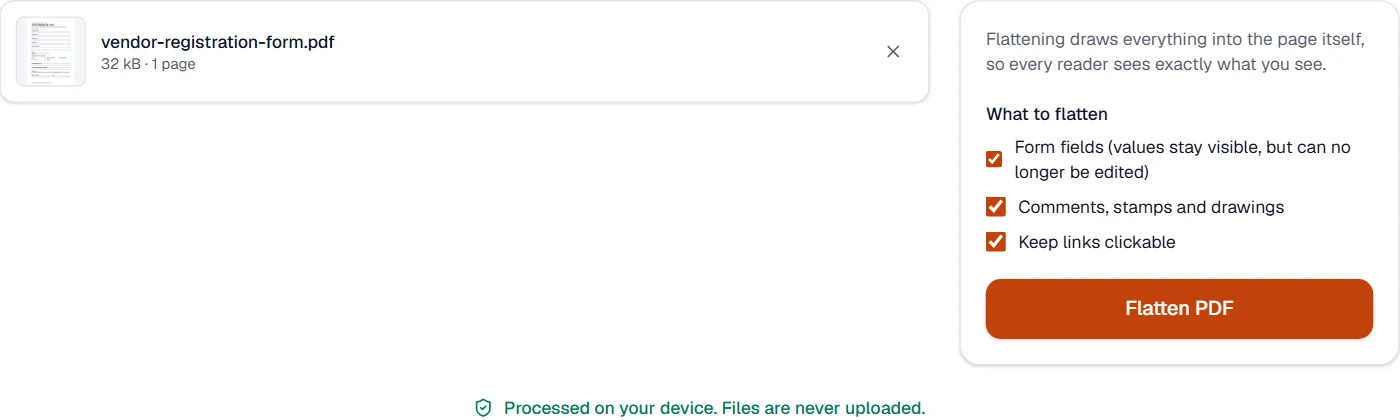
Drawn into the page, exactly as shown
Every field and annotation carries a drawing of itself, the appearance a reader shows. Flattening copies that drawing into the page content at the same place and size, as the standard describes, then removes the field or annotation. A field that left its appearance to the reader gets one drawn in Noto Sans first, so a filled value is not lost. Hidden annotations and pop-ups are dropped, and an annotation that carries no drawing at all is dropped with a notice, since there is nothing to draw.
Flattening is the last step: fill the form with Fill and sign PDF first, and keep a copy of the form if you will need to fill it again.
Measured on our sample file
| Sample | Fields before | Fields after | Input | Output | Time |
|---|---|---|---|---|---|
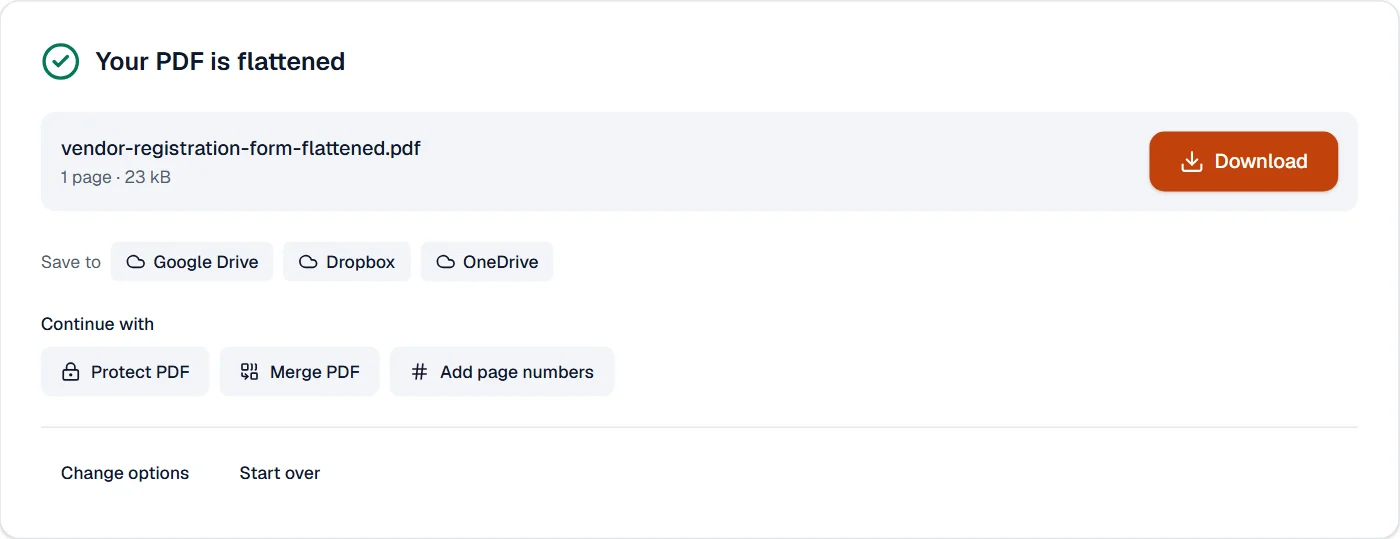
| Vendor form | 16 | 0 | 32 kB | 23 kB | 0.1 s |
Read it as what flattening does to a file: the fields go, their drawings stay, and the file gets a little smaller, because a drawing is less than a field with its rules.
What it looks like
What it cannot do
- Keep the fields fillable. Flattening is the point of no return; keep a copy of the form if you need to fill it again.
- Flatten an XFA form, the older dynamic kind.
- Keep a digital signature valid. The signed form becomes a plain document.
- Draw a comment or stamp that carries no appearance in the file. It is left out, with a notice.
If something goes wrong
- Some comments had no visible appearance and were removed.
- Those comments or stamps were never drawn into the file by the program that made them. Open the file in a reader that draws them, save, and flatten that copy.
- The text I typed into the form is gone
- Fill the fields and save the form first; flattening draws what the file holds, not what a reader showed you. Open Fill and sign PDF
- This PDF is protected. Enter its password to continue.
- Open it in Unlock PDF with its password first. Open Unlock PDF
About Flatten PDF
Flatten PDF turns form fields, comments and stamps into fixed page content, so what you see is what everyone gets and nothing can be edited or switched off. Use it before archiving, publishing or submitting a filled form.
How to use Flatten PDF
Add the PDF.
Choose what to flatten: form fields, annotations, or both.
Choose Flatten PDF and download the result.
Frequently asked questions
- Can flattening be undone?
- No. Keep the original if you may need to change the fields later.
- Are links kept?
- Yes, links stay clickable unless you choose to remove them with the other annotations.
- Does the file get smaller?
- Often a little, because the form structure and appearance streams are simplified.
- What does flattening a PDF mean?
- The form fields and comments are drawn into the pages themselves, so every reader shows the same thing and nothing can be edited or hidden any more.
- Should I flatten a form before sending it?
- Yes, when the values must not change: the fields become fixed page content. Keep your original in case you need to edit it later.
Related tools
- Fill and sign PDFFill in a PDF form, then sign it in the editor.
- Create PDF formAdd fillable fields to any PDF, or let a printed form’s blanks, lines and boxes become fields: text boxes, check boxes, choices, dates and signatures.
- Compress PDFMake a PDF smaller, down to an exact size if you need one.
- PDF to PDF/ATurn a PDF into a PDF/A file for long-term archiving.