
Verify PDF signatures
Check every digital signature in a PDF: who signed, when, and whether it changed since; and whether a copy was signed through our sign requests.
or drop files here
You can also paste with Ctrl+V
A document we wrote for this: nothing of yours is used.
Processed on your device. Files are never uploaded.
Quick facts
- Takes
- One signed PDF, up to 500 MB: signatures in PAdES, CAdES or PKCS #7 form, certifying signatures and document timestamps.
- Gives
- For each signature: who signed and who vouches for them, when it was signed and what proves the time, whether the signed bytes are intact, what changed afterwards, and the signed version itself to download; and, on request, whether the copy was signed through our sign requests, checked against our record by its fingerprint.
- Runs
- In your browser. The file is never uploaded; only the trust lists are fetched, from this site. Checking our record sends the file’s SHA-256 fingerprint, 32 bytes, and nothing else.
- Plan
- Free, with no account, and never counted: checking a signature is not a task.
- Trust lists
- 2277 authorities: the Adobe Approved Trust List (224) and the qualified services of the EU trusted lists (2053), as published on 2026-10-14.
Every check a reader makes, in the open
For each signature, the tool checks that its byte range covers the whole file but the signature itself, hashes those bytes and compares the result with the digest the signer signed, then verifies the signature with the public key of the signer’s certificate, all with the cryptography built into your browser. A timestamp is checked the same way, and it proves the time only when its authority’s certificate is one for timestamping.
The signer’s certificate is then followed up its chain to an authority on the Adobe Approved Trust List or the EU trusted lists, each certificate valid at the time that counts: the timestamp’s, when there is one. Revocation data the file carries is read. Signatures with SHA-1 or RSA keys under 2,048 bits are flagged. Finally the versions of the file written after the signature are compared object by object: adding signatures, filling a form or adding comments is allowed by an ordinary signature; changing what a page shows is not, and neither is anything a certifying signature forbids.
Documents signed through our sign requests carry a document timestamp that shows here, and the verify page also checks a copy against our record of it.
Measured on our sample file
| Signature | Result | Time proven by |
|---|---|---|
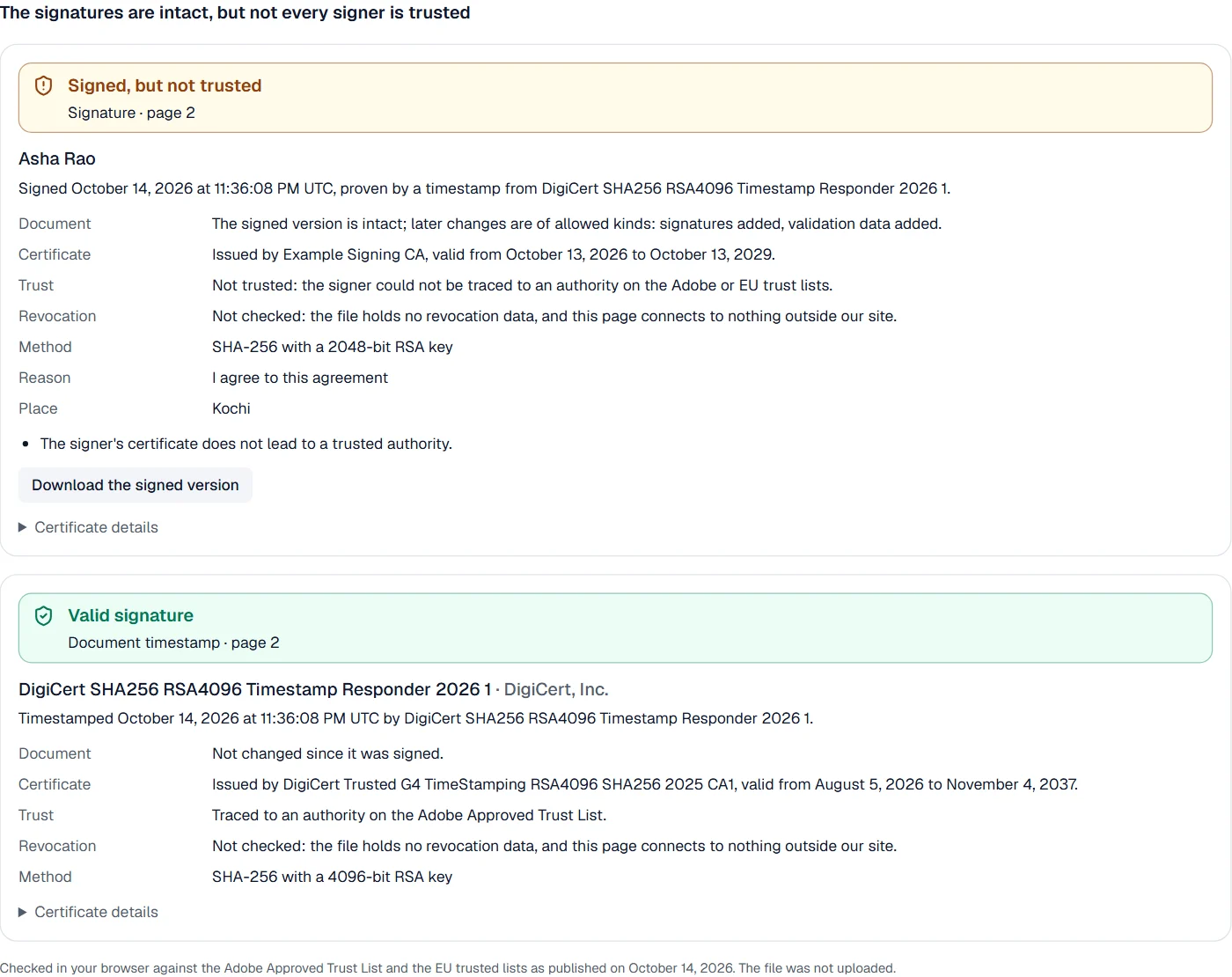
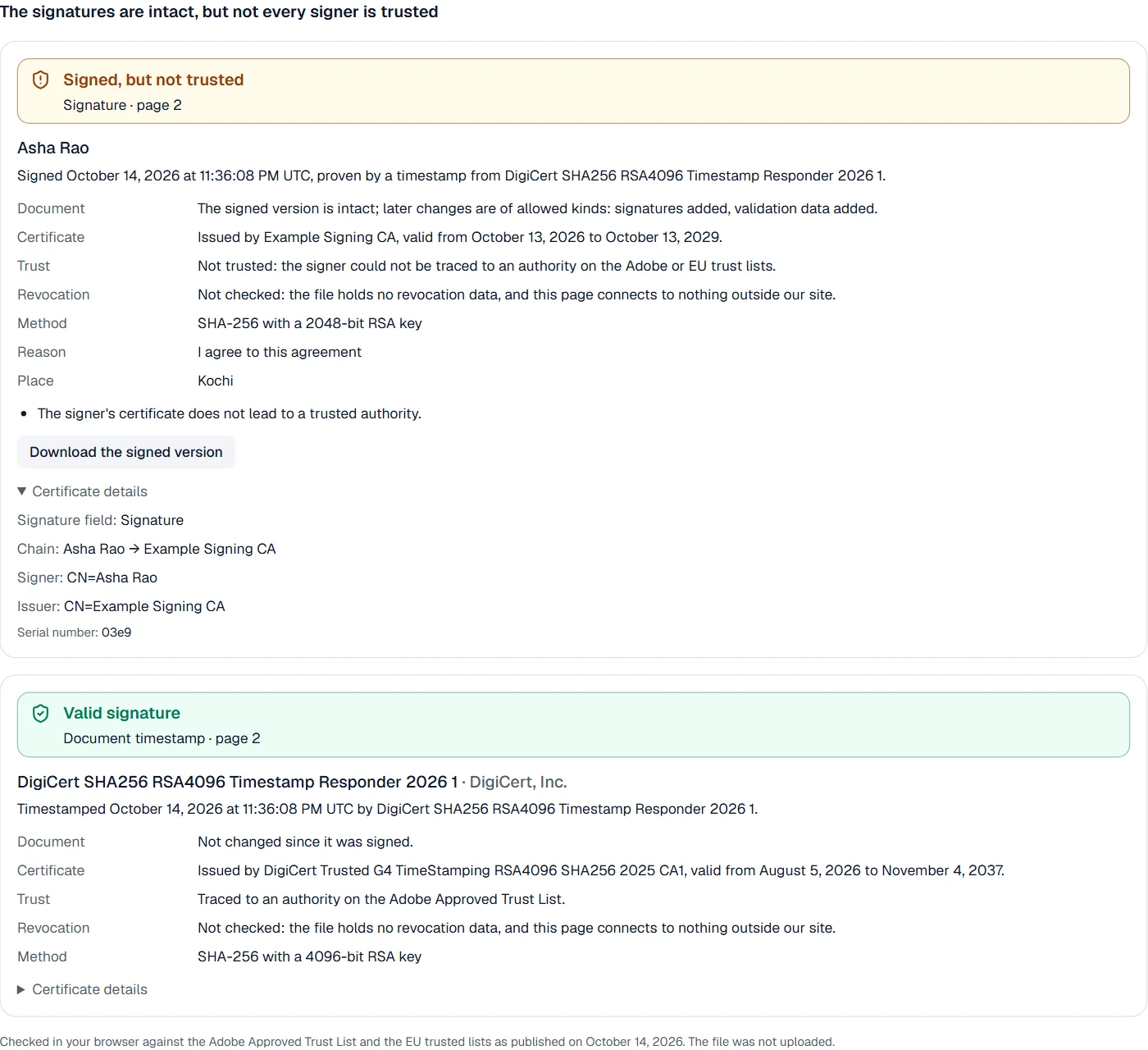
| Signature of Asha Rao | Signed, but not trusted | DigiCert SHA256 RSA4096 Timestamp Responder 2026 1 |
| Document timestamp | Valid | DigiCert SHA256 RSA4096 Timestamp Responder 2026 1 |
Both checks took 0.3 s, trust lists included. The tenant’s signature is intact and holds, and its time is proven, but its authority is on no list, so nothing confirms who the tenant is: exactly what a reader should be told.
What it looks like
What it cannot do
- Fetch revocation data from the internet: only data inside the file is used.
- Trust authorities outside the Adobe Approved Trust List and the EU trusted lists.
- Check signatures drawn as pictures: only digital signatures can be checked.
If something goes wrong
- Signed, but not trusted
- The signer's certificate is not from an authority on the lists. Ask the signer who issued it.
- Not valid: changed after signing
- Download the signed version, which is exactly what was signed, and compare.
- The trust lists could not be loaded, so signers cannot be checked. Check your connection and try again.
- Check your connection and open the file again.
About Verify PDF signatures
Verify PDF signatures checks every digital signature in a PDF: that the signed bytes are untouched, that the signature holds for the signer's key, who the signer is and whether a trusted authority vouches for them, when it was signed, and what changed afterwards.
How to use Verify PDF signatures
Add the signed PDF.
Read the result for each signature; it appears as soon as the file is open.
Download the exact signed version if the file was changed after signing.
Frequently asked questions
- What does “not trusted” mean?
- The signature is intact, but its signer could not be traced to an authority on the Adobe Approved Trust List or the EU trusted lists, so nothing confirms who they are.
- Is the file uploaded?
- No. Everything is checked in your browser; only the trust lists are fetched from our site.
- Is revocation checked?
- With the revocation data the file carries, yes. The page connects to nothing outside our site, so data that is not in the file is not fetched.
- What if the document was changed after signing?
- The result says what kind of change it was, and you can download the version that was signed, byte for byte.
- Can I check documents signed through this site?
- Yes. Their timestamp shows here, and the verify page also checks a copy against our records.
Related tools
- Sign PDF with a certificateA digital signature with your own certificate (.p12, .pfx), checked by every reader.
- Fill and sign PDFFill in a PDF form, then sign it in the editor.
- PDF readerRead any PDF fast, with thumbnails, an outline and search, even a thousand pages long, and print it.
- Protect PDFAdd a password with strong AES-256 encryption.