
Bates numbering
Number every page of one or more PDFs with a unique, continuing number.
or drop files here
You can also paste with Ctrl+V
A document we wrote for this: nothing of yours is used.
Processed on your device. Files are never uploaded.
Quick facts
- Takes
- One or more PDFs, in the order you set. A password-protected PDF is refused until it is unlocked.
- Gives
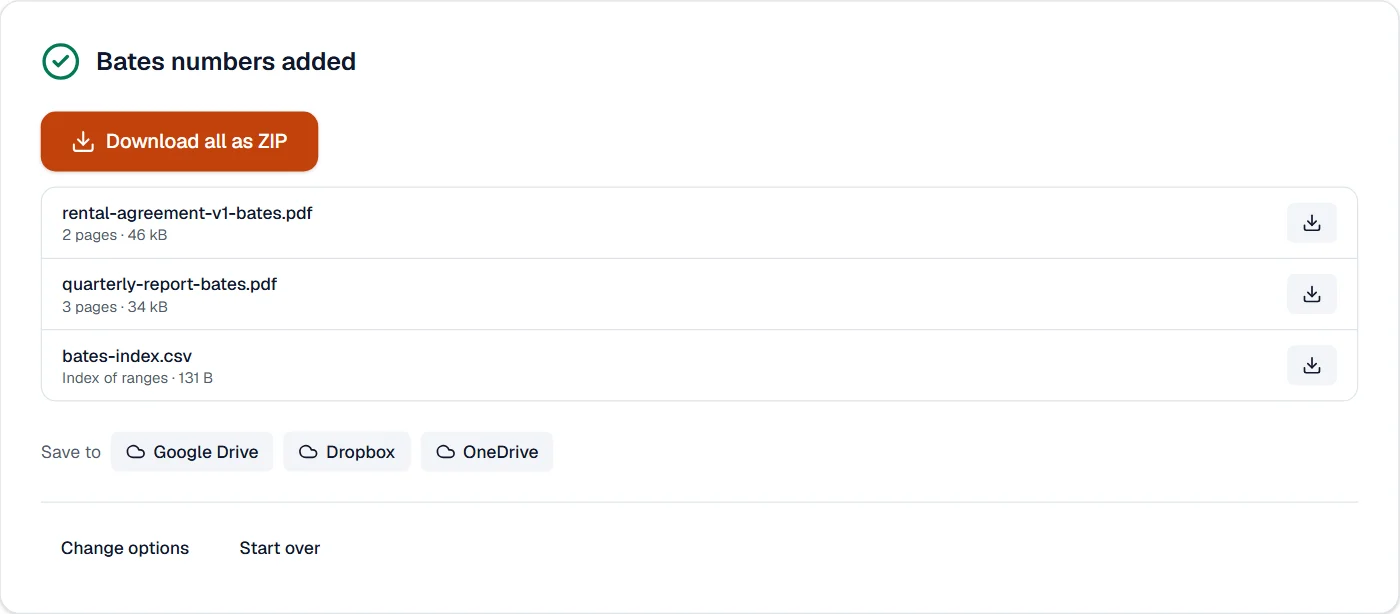
- Each file with a number on every page, such as ABC000001: your prefix, 1 to 12 digits padded with zeros, and a suffix, continuing from file to file. With several files, a CSV index of each file’s first and last number.
- Runs
- In your browser. The files are never uploaded, and nothing is kept anywhere.
- Plan
- Free, with no account and no watermark: 10 tasks a day, on files up to 50 MB and 100 pages. Pro has no daily count and takes files up to 500 MB, with no page limit.
- Names
- The files keep their names, or are named by their range, such as ABC000001-ABC000012.pdf.
One run of numbers across the set
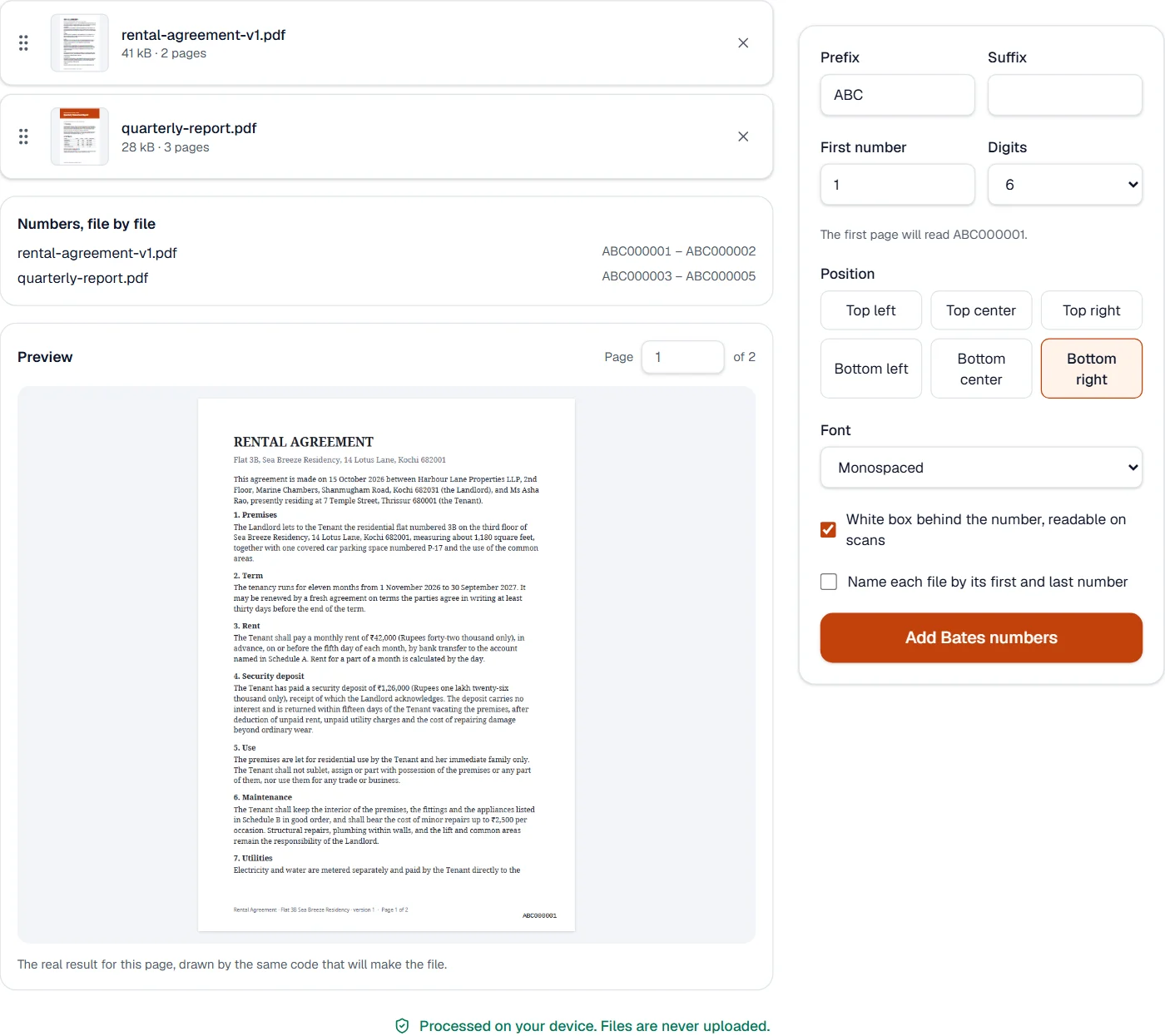
The list beside the files shows the range each will get before anything is written: the first file starts at your number, and each next one starts where the one before it ended. Reorder the files and the ranges follow.
Each number is set as text in a monospaced face by default, so the digits line up from page to page, in one of six places a set distance from the edges of the page as displayed. A white box behind it keeps it readable over a dark scan. The number is page content, so it prints, copies and is found by search: a reviewer can type ABC000417 and land on that page.
Measured on our sample files
| Files | Pages | First number | Last number | Output | Time |
|---|---|---|---|---|---|
| 2 | 5 | ABC000001 | ABC000005 | 80 kB | 0.3 s |
What it looks like
What it cannot do
- Skip pages: every page of every file is numbered.
- Number the same file twice in one run.
- Remove Bates numbers a file already has.
If something goes wrong
- The numbers are in the wrong file order
- Drag the files into order in the list; the ranges update.
- The number covers text
- Choose another corner; the preview shows where it lands.
- This PDF is protected. Enter its password to continue.
- Open it in Unlock PDF with its password first. Open Unlock PDF
About Bates numbering
Bates numbering stamps every page of one or more PDFs with a unique number, such as ABC000001, continuing from file to file. Lawyers and records offices use it to refer to any page of a set of documents without doubt.
How to use Bates numbering
Add the PDFs and put them in order.
Choose the prefix, the first number, the digits and the place; the list shows each file's range.
Choose Add Bates numbers and download the numbered files with their index.
Frequently asked questions
- Do the numbers continue across files?
- Yes. Each file starts where the one before it ended, in the order of the list.
- Can I get a list of the ranges?
- Yes. With several files, a CSV index gives each file's first and last number and page count.
- Can the files be named by their numbers?
- Yes. Turn on naming by range, and each file is called by its first and last number.
- Will the numbers be readable on dark scans?
- Yes. Keep the white box behind the number.
- Is anything uploaded?
- No. The numbering runs in your browser; the files stay on your device.
Related tools
- Add page numbersNumber pages with the position and style you choose, add a header and footer, or set the page numbers a reader shows.
- Merge PDFCombine several PDFs into one, in the order you want, or the front and back sides of a scan made one side at a time.
- Redact PDFRemove sensitive text and pictures for good: find emails, phone, card, Aadhaar, PAN and IBAN numbers at once, or draw boxes.
- Protect PDFAdd a password with strong AES-256 encryption.