
PDF to Excel
Turn the tables and figures of a PDF into an Excel workbook, in your browser.
or drop files here
You can also paste with Ctrl+V
A document we wrote for this: nothing of yours is used.
Processed on your device. Files are never uploaded.
Quick facts
- Takes
- One PDF at a time. A password-protected PDF is opened once its password is typed on the file card.
- Gives
- An .xlsx workbook that opens in Excel, LibreOffice Calc and Google Sheets: one sheet per page, or one sheet for the whole document, with figures as numbers you can sum.
- Runs
- In your browser. The file is never uploaded, and nothing is kept anywhere.
- Plan
- Free, with no account and no watermark: 10 tasks a day, on files up to 50 MB and 100 pages. Pro has no daily count and takes files up to 500 MB, with no page limit.
- Numbers
- A cell that reads as a figure becomes a number: 1,26,000 is 126000, ₹45,000 is 45000, (1,200) is −1200. Percentages, dates and codes such as MT-2026-0417 stay text, so nothing is misread.
How cells come out of a file that has none
A PDF stores no table, only letters at positions. The tool reads them back in two ways. A table drawn with ruling lines gives its grid away: a full grid says where the rows and columns are, and rules between the rows say where each row ends, the columns falling where every row leaves a gap; each cell is whatever sits inside its box. Everything else is read line by line: a line of text is a row, cut into cells wherever a gap wider than a word space separates two pieces, and the pieces of neighboring rows are lined up into columns by where they sit on the page. A heading set left above figures set right is recognized as one column.
The prose between the tables comes through too, one line per row, so nothing is lost; delete those rows in Excel if you only wanted the table. The result says how many cells and how many numbers it holds, so you know before opening it whether the figures came through as figures.
Measured on our sample files
| Sample | Sheets | Cells | Numbers | Workbook | Time |
|---|---|---|---|---|---|
| Text report with a table and a chart, 3 pages | 3 | 105 | 23 | 15 kB | 0.4 s |
| Text agreement with a schedule, 2 pages | 2 | 75 | 5 | 13 kB | 0.4 s |
| Form with fields, 1 page | 1 | 23 | 0 | 5.7 kB | 0.3 s |
Read it as what to expect: the report's key-figures table arrives as five columns with its revenue, volume and stoppage figures as numbers and its percentages as text; the agreement's schedule of fittings arrives with the quantities as numbers; the vendor form, which is labels and empty boxes, arrives as labels. The conversion takes a fraction of a second, because nothing is uploaded.
What it looks like

What it cannot do
- Read a scan. A scanned page has no text to read; the tool says so and sends you to OCR PDF. Run it first, then convert the searchable copy.
- Keep formatting. Bold, colors, borders and column widths are not carried over; the workbook is plain cells, with the columns widened to fit.
- Write formulas. A total in the PDF is a number, not a formula, because the PDF never knew how it was computed.
- Get every column right in a table without ruling lines. A long entry can land in the wrong column, and a cell written on two lines arrives as two rows. Fix those in Excel; the rows stay in order.
- Read numbers written in words, or know which way a lone separator goes. 1,234.56 and 1.234,56 are both read as 1234.56, and 12,5 as 12.5; but a comma before three digits counts as a thousands separator, so a Spanish 1,234 meaning one and a bit arrives as 1234.
- Merge cells. A heading that spans several columns in the PDF is one cell in the first of them.
If something goes wrong
- This PDF holds no text, only pictures of pages. Run OCR PDF first, then convert the result.
- The file is a scan. Open it in OCR PDF, download the searchable copy, and convert that. Open OCR PDF
- The figures are text, and cannot be summed
- They carry something the tool does not read as part of a number: a unit, a footnote mark, or a separator it does not know. In Excel, select the column and use Text to Columns, or search and replace the extra character.
- The columns do not line up
- The table was drawn without ruling lines and the columns were read from the gaps. Untick “One sheet per page” if the table continues over pages, and check the long entries first; those are the ones that drift.
- This PDF is protected. Enter its password to continue.
- Open it in Unlock PDF with its password, then convert the unlocked copy. Open Unlock PDF
About PDF to Excel
PDF to Excel reads the tables and text of a PDF into an XLSX workbook you can calculate with, filter and chart. Statements, price lists and reports become data again. The conversion runs in your browser, so nothing is uploaded; the free plan gives 10 tasks a day, and Pro has no daily count.
How to use PDF to Excel
Add the PDF. Pages that already hold text convert at once; a scan needs OCR PDF first.
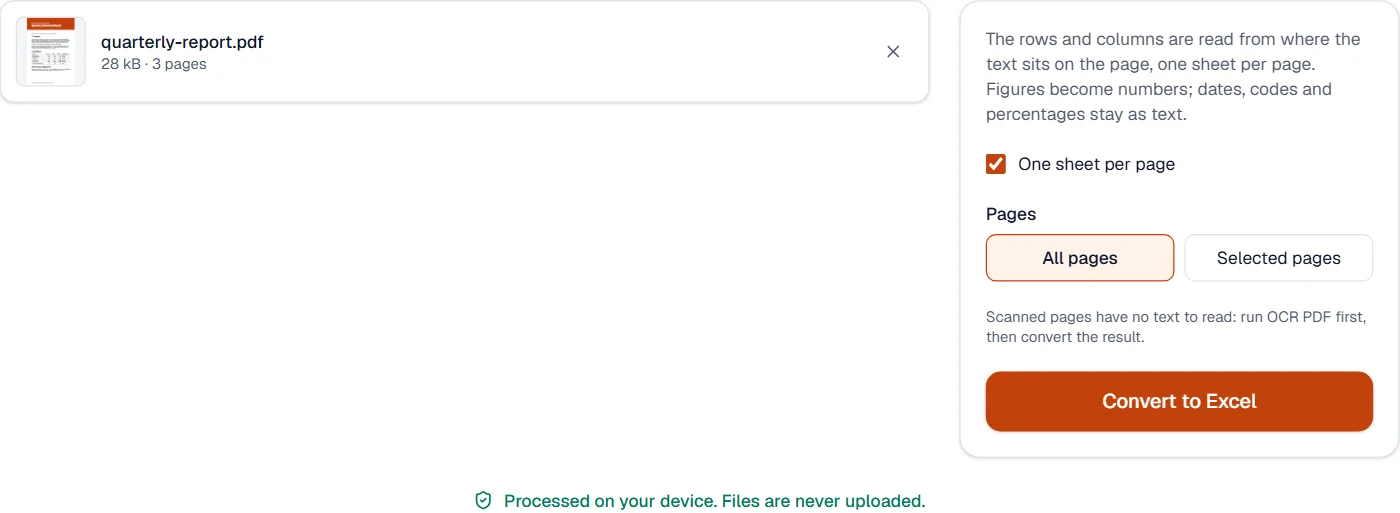
Choose one sheet per page or one sheet for the whole document, and the pages you want.
Choose Convert to Excel and download the workbook. The result says how many cells and numbers it holds.
Frequently asked questions
- Do the numbers become real numbers?
- Yes. A figure such as 1,26,000 or ₹45,000 becomes the number 126000 or 45000, ready to sum and sort; percentages, dates and codes stay as text so that nothing is misread.
- Does it work on scanned tables?
- A scan holds no text. Run OCR PDF first; the recognized words then convert like any other text.
- Why are some cells merged or shifted?
- A PDF has no table structure, only letters at positions. Tables drawn with ruling lines are read from their grid; tables without them are read from the gaps between columns, which can put a long entry into the wrong column. Fix those cells in Excel; the rows stay in order.
- Can I convert a bank statement or an invoice to Excel?
- Yes, when the PDF holds real text: each row of the statement becomes a row of the sheet with its amounts as numbers. Check the thousands separators for your locale.
- Do all the pages end up in one sheet?
- By default each page is a sheet, named after its page number. Untick “One sheet per page” to put everything on one sheet, with an empty row between pages.