
Redact PDF
Remove sensitive text and pictures for good: find emails, phone, card, Aadhaar, PAN and IBAN numbers at once, or draw boxes.
or drop files here
You can also paste with Ctrl+V
A document we wrote for this: nothing of yours is used.
Processed on your device. Files are never uploaded.
Quick facts
- Takes
- One PDF. A password-protected PDF is opened once its password is typed on the file card.
- Gives
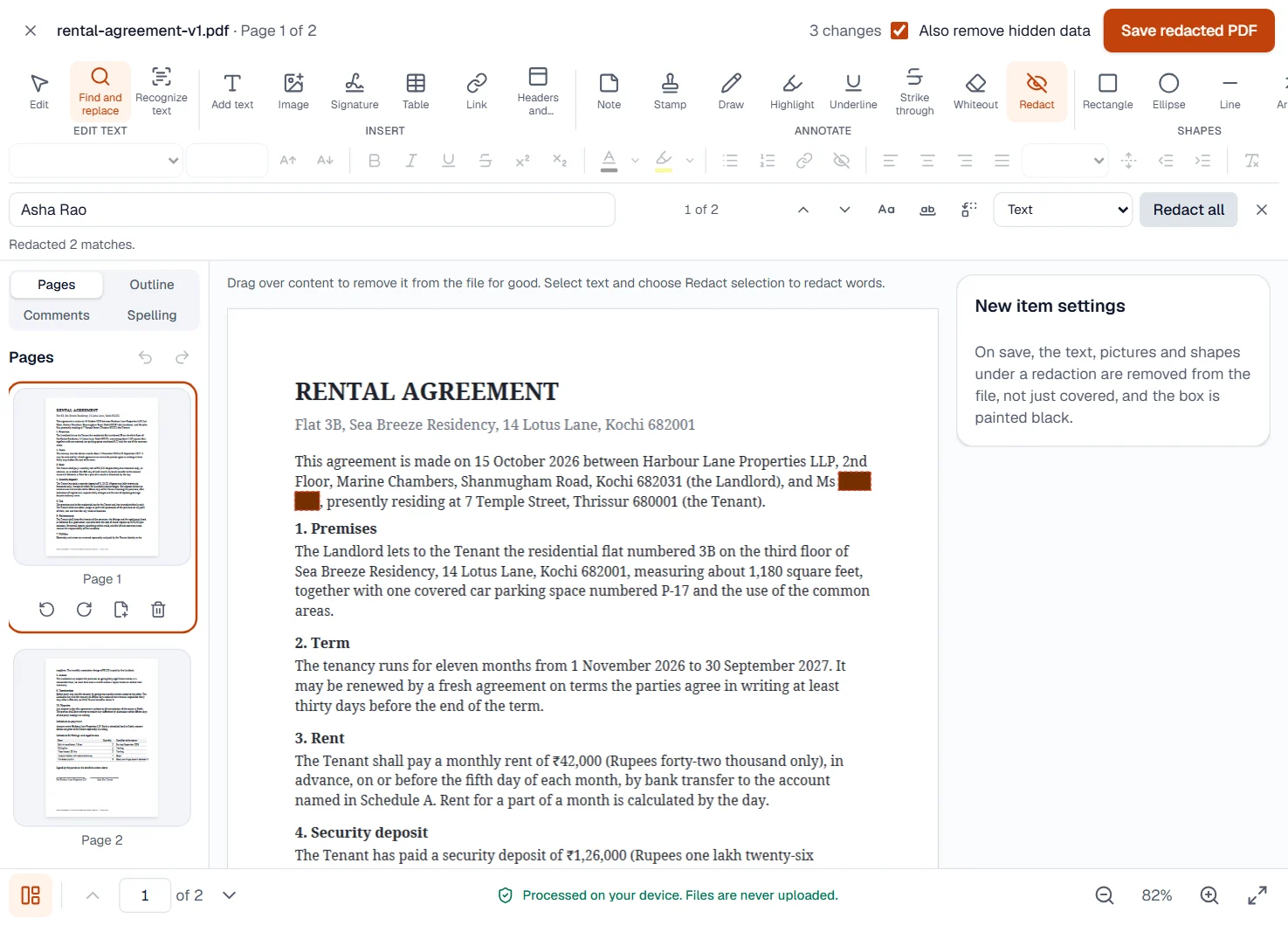
- A new PDF in which the text, pictures, drawings and comments under each box are gone from the file, and the box is painted black. The rest of the page is unchanged and still searchable.
- Runs
- In your browser. The file is never uploaded, and nothing is kept anywhere.
- Plan
- Free, with no account and no watermark: 10 tasks a day, on files up to 50 MB and 100 pages. Pro has no daily count and takes files up to 500 MB, with no page limit.
- Finds
- Email addresses, phone numbers, card numbers that pass the Luhn check, Aadhaar numbers with a valid check digit, PAN numbers, IBANs that pass their mod-97 check, US Social Security and Irish PPS numbers, dates, or any text you type, across every page, with one button to redact them all. The page opens on every kind but dates, already found.
- Also removes
- With Also remove hidden data, on to begin with: the file’s properties and XMP metadata, attached files, scripts, what hidden layers draw, thumbnails, programs’ private data and the earlier versions saved in the file, as Clean PDF does. Bookmarks, form fields and comments outside the boxes stay.
Removed, not covered
A black rectangle drawn over a word hides it from the eye and from nobody else: the word is still in the file, one copy-and-paste away. A redaction here is different. When you save, the engine takes out every letter whose box touches the redaction, with its underline or highlight, every drawing at least three-fifths inside it, every picture it covers whole, and every comment or link it touches, since a link or a note would give away what was there. A picture the box covers only in part is decoded, the pixels under the box are painted black, and the picture is stored again. Only then is the box painted over.
The file is then verified: what was kept must read back exactly as before, or the save fails rather than hand you something uncertain. Words recognized by OCR under the box are left out of the invisible text layer too, so a redacted scan does not keep the secret in its search layer.
Measured on our sample file
| Sample | Occurrences before | Redacted | Occurrences after | Before | After | Time to save |
|---|---|---|---|---|---|---|
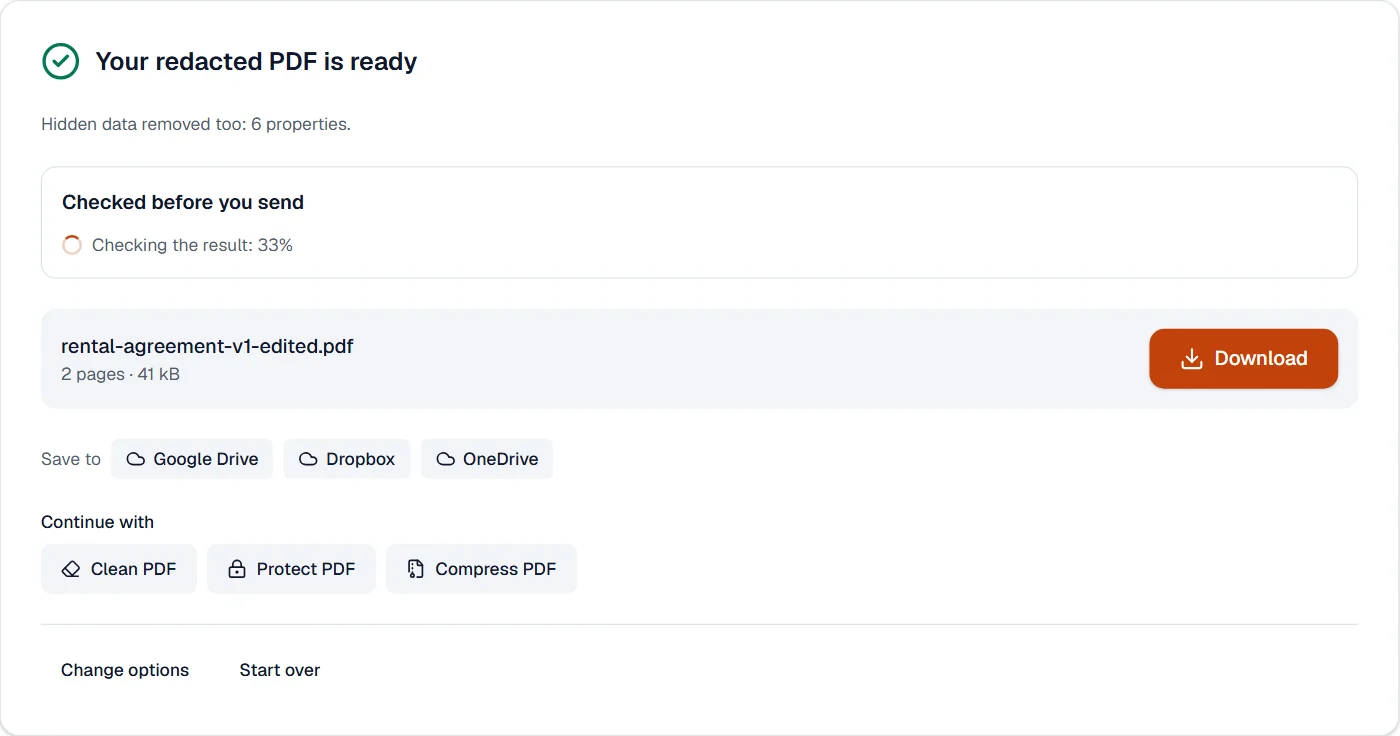
| Text agreement, 2 pages | 2 | 2 | 0 | 41 kB | 41 kB | 0.7 s |
The name was found on both pages and, after saving, the text of the file holds no trace of it: not hidden, not white, not under a shape, but absent. The size barely moves, because only a few letters left and a few black boxes arrived.
What it looks like
What it cannot do
- Find text in a scan. A scanned page is a picture; the find bar has nothing to search. Draw the boxes by hand, which blacks out the pixels, or run OCR PDF first so the words can be found.
- Remove bookmarks, comments elsewhere in the file or form fields. Also remove hidden data leaves them; Clean PDF takes them out when you choose.
- Choose what Also remove hidden data takes: properties, attachments, scripts, hidden layers and earlier versions go together. For a finer choice, untick it and run Clean PDF afterwards.
- Guess what you meant. A box removes what it touches: a letter half under the box goes with it, and a drawing mostly outside stays, as its visible part shows anyway.
- Redact a locked file without its password. You are asked for it on the file card.
If something goes wrong
- No results
- The words are not in the file as text: the page is a scan, or the text was drawn as outlines. Run OCR PDF first, or draw the boxes with the Redact tool, which removes whatever is under them. Open OCR PDF
- 2 matches are in text that can’t be edited.
- Those words are inside a form field or an annotation rather than on the page. Flatten the file first; the words are then on the page and can be redacted. Open Flatten PDF
- I want to be sure it is gone
- Search the saved file for the word in any reader: that checks the text of the pages, where the boxes work. With Also remove hidden data on, the properties, attachments, scripts and hidden layers are gone too; Inspect PDF shows what the saved file still holds, bookmarks and form fields included. Open Clean PDF
- This PDF is protected. Enter its password to continue.
- Open it in Unlock PDF with its password, redact the unlocked copy, and protect it again if you need to. Open Unlock PDF
About Redact PDF
Redact PDF removes sensitive text, pictures and comments from the pages for good, not just covers them: what lies under each box is deleted from the file, so it cannot be copied or revealed later. It runs in your browser and finds emails, phone numbers and other patterns for you.
How to use Redact PDF
Add the PDF; the editor opens on the redaction tool.
Draw boxes over what must go, or search for words and patterns and mark every match.
Apply the redactions and download the clean document.
Frequently asked questions
- Is the text really gone?
- Yes. Text, shapes, pictures and comments under each box are removed from the file, and partly covered pictures are blacked out pixel by pixel.
- Can I redact by search?
- Yes. Search for a word, an email address, a phone number or a pattern and every occurrence is marked at once.
- Does it work on scanned PDFs?
- Boxes drawn on a scan remove that part of the picture. Run OCR PDF first if you want to find text by searching.
- Can I redact several pages at once?
- Yes. A search marks every match on every page, and one save removes them all.
- Can I redact a picture or a signature?
- Yes. Draw a box over it; the picture underneath is removed, or blacked out pixel by pixel when only part of it is covered.
Related tools
- Clean PDFSee everything a PDF carries before you share it, then remove it: properties, attached files, scripts, hidden layers and earlier versions.
- Compare PDFSee what changed between two versions of a PDF: word by word, by how the pages look, or a copy checked against its original.
- Edit PDFEdit the text of a PDF like in a word processor, add text, images, signatures, stamps, shapes, highlights and comments, and check the spelling of the whole file.
- Protect PDFAdd a password with strong AES-256 encryption.
Guides
- Redact a PDF permanently: remove the text, not just cover itWhy a black box drawn over a PDF hides nothing, how to remove text, pictures and comments for good in your browser, and how to check that they are gone.
- How to white out text in a PDF, and when to redact insteadCover a wrong date, a typo or a logo with a white box and type over it in your browser, and know the one case where covering is not enough.