
PDF to Markdown
Turn a PDF into Markdown text with its headings, lists, tables and pictures.
or drop files here
You can also paste with Ctrl+V
A document we wrote for this: nothing of yours is used.
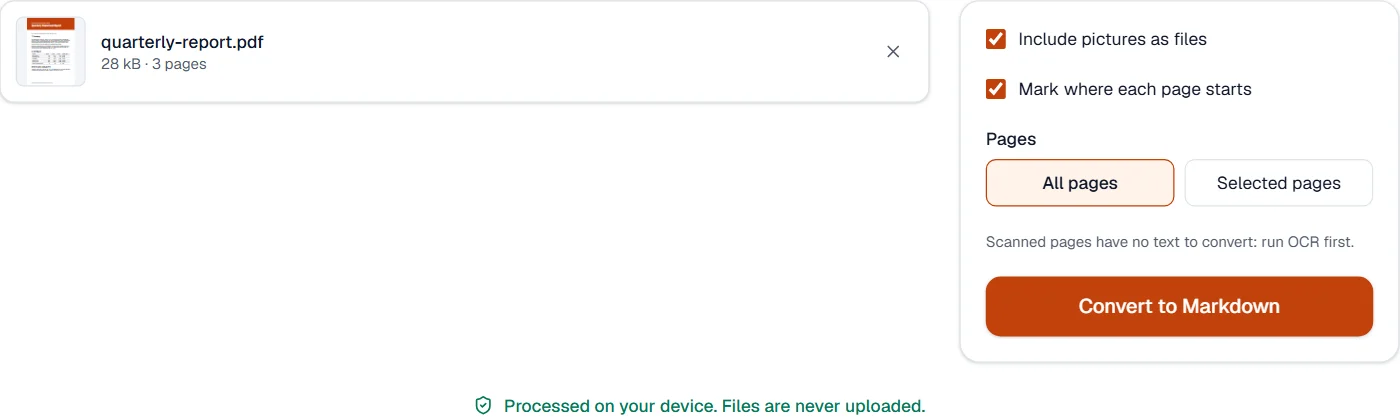
Processed on your device. Files are never uploaded.
Quick facts
- Takes
- One PDF with text in it. A scan needs OCR PDF first.
- Gives
- A .md file with headings, paragraphs, lists, tables, bold and italic, and the pictures as files beside it, in a ZIP when there are pictures.
- Runs
- In your browser. The file is never uploaded, and nothing is kept anywhere.
- Plan
- Free, with no account and no watermark: 10 tasks a day, on files up to 50 MB and 100 pages. Pro has no daily count and takes files up to 500 MB, with no page limit.
- For
- A wiki, a README, a note-taking app, or an AI assistant, which reads plain Markdown far better, and far cheaper, than a PDF.
Structure read back from the page
The same page analysis the editor uses reads the text into lines, paragraphs and blocks. Headings come from the document’s own tags where it has them, otherwise from the text sizes, largest first; a short bold line at the body size is the lowest heading. Lists come from their bullets and numbers, nested by indent, and a numbered title set large or bold stays a heading; tables from their ruling lines, a full grid or rules between the rows, the first row as the header; bold and italic from the fonts; page numbers and running headers that repeat on half the pages are dropped. Columns are read one after the other, and Markdown’s own characters in the text are escaped so nothing becomes formatting by accident.
A table drawn without ruling lines is read line by line here; PDF to Excel reads it from the gaps between the columns.
Measured on our sample file
| Sample | Pages | Headings | List items | Table rows | Markdown | Time |
|---|---|---|---|---|---|---|
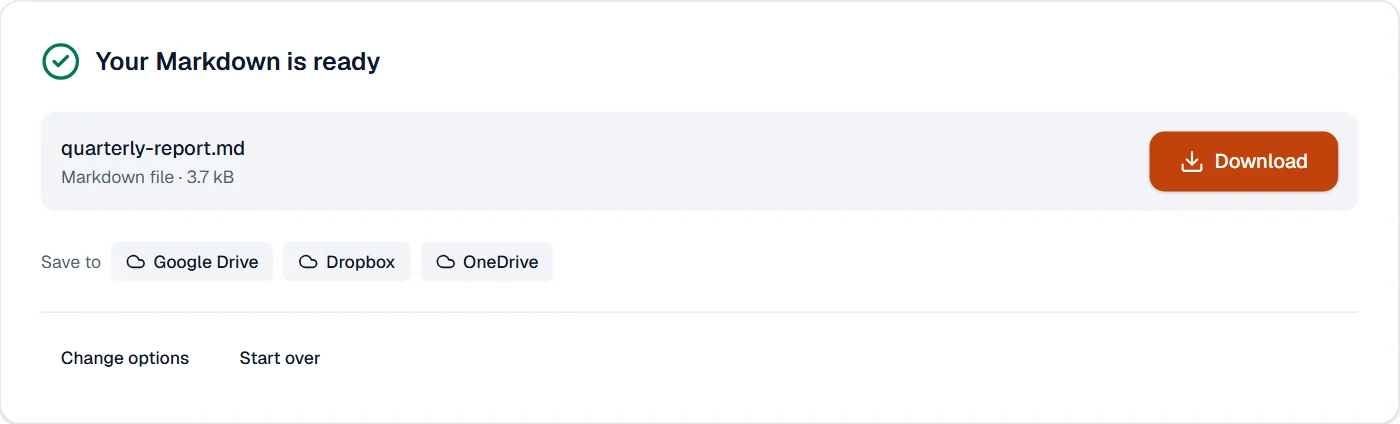
| Text report | 3 | 9 | 0 | 14 | 3.7 kB | 0.4 s |
Read it with the sample in mind: the report’s numbered section titles come through as headings, and both of its tables, ruled between their rows under a shaded heading row, as Markdown tables. A table set with no rules at all would arrive as lines of text, which PDF to Excel reads from the gaps between the columns.
What it looks like
What it cannot do
- Read a scan. Run OCR PDF first; the recognized text then converts like any other.
- Keep formulas, footnotes, newspaper columns or text in boxes where they were. They come out in reading order as plain text.
- Keep fonts, colors or page layout. Markdown has none.
- Tell a heading from a bold line in a document whose text is all one size.
If something goes wrong
- The Markdown is almost empty
- The pages are pictures. Run OCR PDF first, then convert the searchable copy. Open OCR PDF
- A table came out as lines of text
- Tables drawn without ruling lines are read line by line here. PDF to Excel reads them from the gaps between the columns. Open PDF to Excel
- This PDF is protected. Enter its password to continue.
- Open it in Unlock PDF with its password first. Open Unlock PDF
About PDF to Markdown
PDF to Markdown converts a PDF into clean Markdown text with headings, lists, tables, emphasis and pictures, ready for a wiki, a README, a note-taking app or an AI assistant. It runs in your browser and understands the document's structure, not just its words.
How to use PDF to Markdown
Add the PDF.
Choose whether to keep page markers and pictures; the Markdown appears on screen.
Copy the text or download it as a .md file with the pictures in a ZIP.
Frequently asked questions
- How are headings and lists recognized?
- From the text's size, weight and position: larger and bolder lines become headings, bullets and numbers become lists, and aligned rows become tables.
- Does it work on scans?
- Run OCR PDF first; the recognized text then converts like any other PDF.
- Are pictures included?
- Yes. Pictures are extracted and referenced from the Markdown, and come with the download.
- Is the Markdown suitable for AI assistants and LLMs?
- Yes. Headings, lists and tables come out as plain Markdown that ChatGPT, Claude and other assistants read well, with far fewer tokens than the PDF.
- Can I convert only some pages?
- Yes. Choose "Selected pages" and type the numbers or ranges; page markers can show where each page starts.
Related tools
- PDF to WordTurn a PDF into an editable Word document.
- OCR PDFMake a scanned PDF searchable, with text you can copy, in 25 languages.
- Compare PDFSee what changed between two versions of a PDF: word by word, by how the pages look, or a copy checked against its original.
- Edit PDFEdit the text of a PDF like in a word processor, add text, images, signatures, stamps, shapes, highlights and comments, and check the spelling of the whole file.