
Word to PDF
Turn Word documents into PDFs that look the same everywhere.
Checking that the servers are available…
Pro. Runs on our servers: encrypted in transit, deleted automatically.
Quick facts
- Takes
- DOCX, DOC, ODT, RTF and TXT files, up to twenty at a time, each up to 200 MB.
- Gives
- One PDF per file, with the pages as Word lays them out and the fonts embedded.
- Runs
- On our servers: the file is uploaded over an encrypted connection, converted by LibreOffice, and the job is deleted as soon as the result is fetched.
- Plan
- Pro: 200 tasks a day on our servers, and a task that fails is not counted. The tools that run in your browser stay free.
- Fonts
- Liberation, Carlito, Caladea and Noto stand in for Arial, Times New Roman, Calibri and Cambria with the same letter widths, so lines break where they did; other fonts are substituted.
Printed by LibreOffice, as the file says
The file is opened by LibreOffice on a server of ours, with no network of its own, and printed to PDF the way the program would print it: every page as the document lays it out, pictures at their stored resolution, fonts embedded as subsets. Headings, tables and footnotes come through as drawn; tracked changes are shown as accepted, and comments are left out.
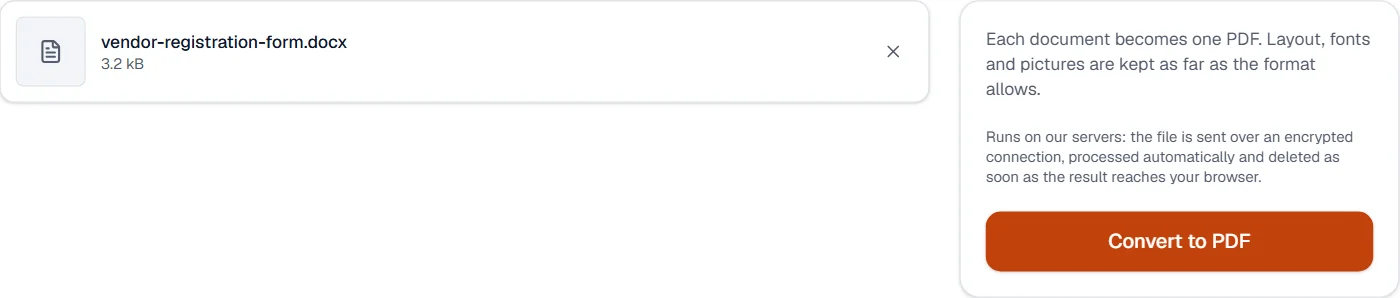
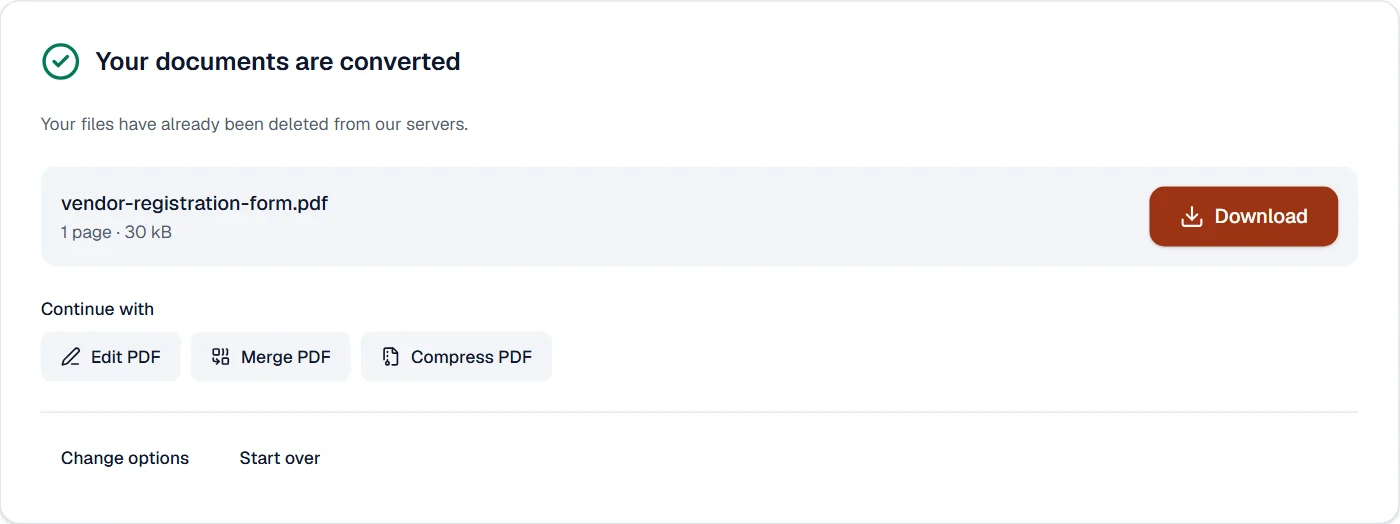
The upload, the conversion and the download are three steps of one job; the page shows each, and the job is deleted when the result has been fetched. The converter is LibreOffice 24.2.7 (Ubuntu 24.04), the one in the worker image this site deploys. The result opens in every tool here, such as Compress PDF or Merge PDF.
Measured on our sample file
| Sample | File | Pages | Time | |
|---|---|---|---|---|
| Vendor registration form, .docx | 3.2 kB | 30 kB | 1 | 9.7 s |
Read it as what a conversion costs: a few seconds for the server to start LibreOffice and print, plus the upload and the download of the file on your connection. A PDF is larger than the Office file it came from, because it carries the fonts.
What it looks like
What it cannot do
- Match Word exactly where fonts are missing. The servers carry Liberation, Carlito, Caladea and Noto, which stand in for Arial, Times New Roman, Calibri and Cambria with the same widths; other fonts are substituted.
- Run macros, or keep tracked changes as changes. The document converts as it would print.
- Convert a password-protected document. Remove the password in Word first.
- Keep the file after conversion. It is deleted as soon as the result is fetched.
If something goes wrong
- The document could not be converted. Check that it opens in its own program, then try again.
- Open the file in Word or LibreOffice and save it again. A file that opens there converts.
- The layout shifted
- A font the servers do not have was replaced. Set the document in Arial, Calibri, Times New Roman or Cambria, or embed the fonts, and convert again.
- Today's tasks are used up
- Pro runs 200 tasks a day on our servers, counted from midnight UTC, and a task that fails is not counted. The count starts again the next day.
About Word to PDF
Word to PDF converts DOCX, DOC, ODT and RTF documents into PDFs that look the same everywhere, with fonts embedded and layout kept. Conversion runs on our servers with LibreOffice and the files are deleted automatically afterwards.
How to use Word to PDF
Add the Word documents, up to 20 at a time.
The files are uploaded over an encrypted connection and converted one by one.
Download the PDFs; the uploads are deleted as soon as you have them.
Frequently asked questions
- Will the layout match Word exactly?
- Text, headings, tables, pictures and page breaks come through faithfully; unusual fonts are replaced by close matches. Check documents with complex layouts before sending.
- Are my documents kept?
- No. They are processed in an isolated container and deleted as soon as you download the result; a result you do not fetch is deleted after the time chosen on the account page.
- Is there a size limit?
- Files up to 200 MB, with Pro: the tools that run on our servers are part of Pro.
- Can I convert a Google Docs file?
- Download it from Google Docs as DOCX, then add it here; the PDF keeps the layout, fonts and pictures.
- Can I convert several Word files at once?
- Yes. Add them together; each becomes its own PDF. Use Merge PDF afterwards to join them into one.
Related tools
- PDF to WordTurn a PDF into an editable Word document.
- Excel to PDFTurn Excel spreadsheets into PDFs, every sheet included.
- PowerPoint to PDFTurn PowerPoint presentations into PDFs, one slide per page.
- Merge PDFCombine several PDFs into one, in the order you want, or the front and back sides of a scan made one side at a time.