
Sign PDF with a certificate
A digital signature with your own certificate (.p12, .pfx), checked by every reader.
Checking that the servers are available…
Processed on your device. Files are never uploaded.
Quick facts
- Takes
- One PDF and your certificate as a .p12 or .pfx file with its password, as Windows, macOS and certificate authorities export it. A password-protected PDF must be unlocked first.
- Gives
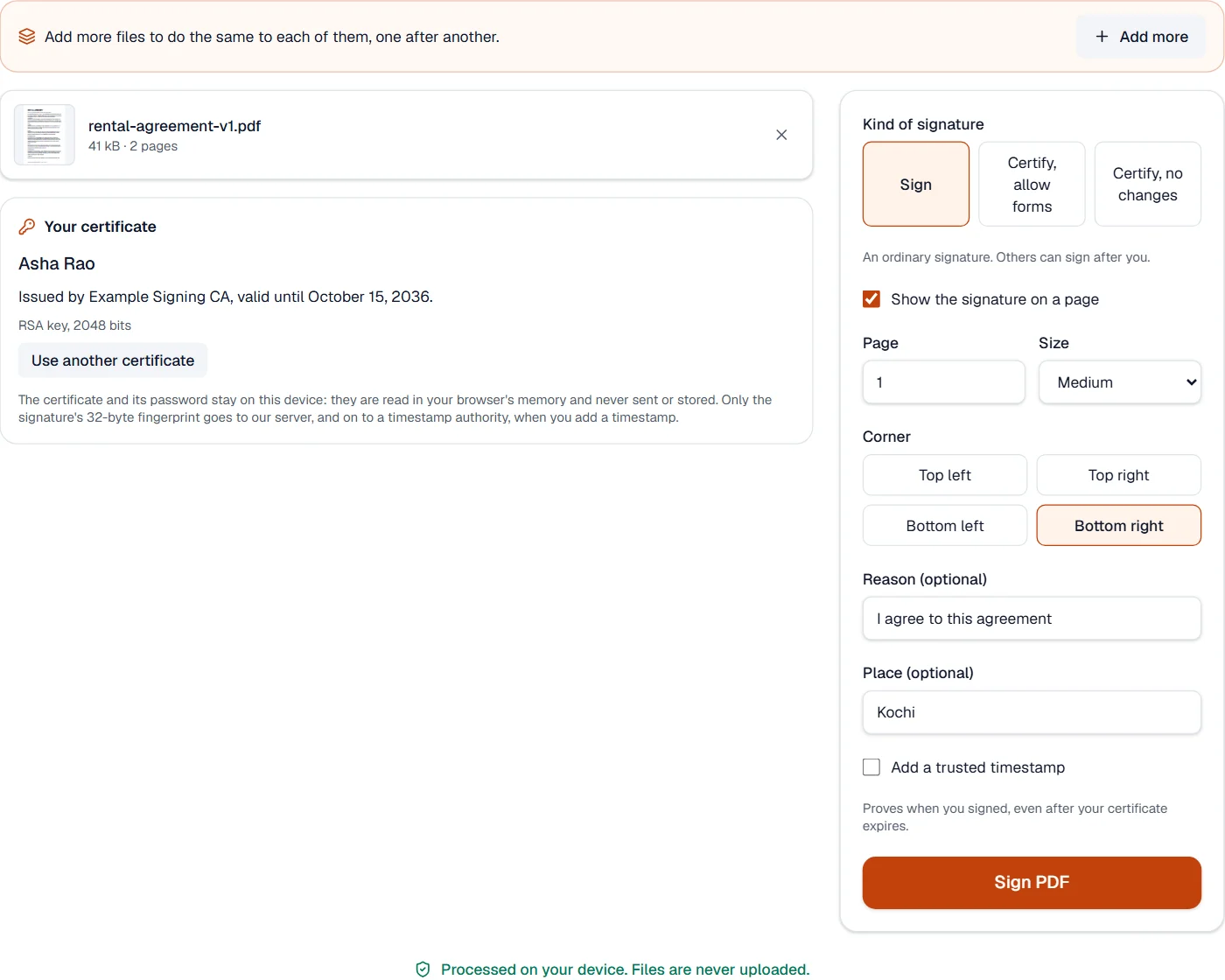
- The PDF signed in the PAdES form readers check, visibly in a corner of a page or invisibly, as an ordinary signature or a certifying one, with a trusted timestamp when you ask for it.
- Runs
- In your browser. The certificate, its key and the PDF never leave your device; for a timestamp, only the signature’s 32-byte fingerprint goes out.
- Plan
- Pro. Checking signatures with Verify PDF signatures stays free.
- Earlier signatures
- Kept valid: the new signature is added at the end of the file, and nothing written before it changes.
Your key, used where it lives
The .p12 file is opened in your browser’s memory with its password, in the modern AES form or the older triple-DES and RC2 forms most authorities still issue. Its key is handed to the browser’s own cryptography as a key that cannot be exported, used for this one signature, and forgotten when you close the certificate or the page. Nothing of it is stored.
The signature is a CAdES signature in the PAdES baseline profile, with the signer’s certificate chain inside it, so a reader can trace it to its authority without fetching anything. With a timestamp, the signature’s fingerprint goes to DigiCert’s timestamp authority, or another trusted one if it does not answer, and the token it returns is checked before it is added: it then proves when you signed even after your certificate expires. A certifying signature also records what may change afterwards: nothing, or only form filling and signing.
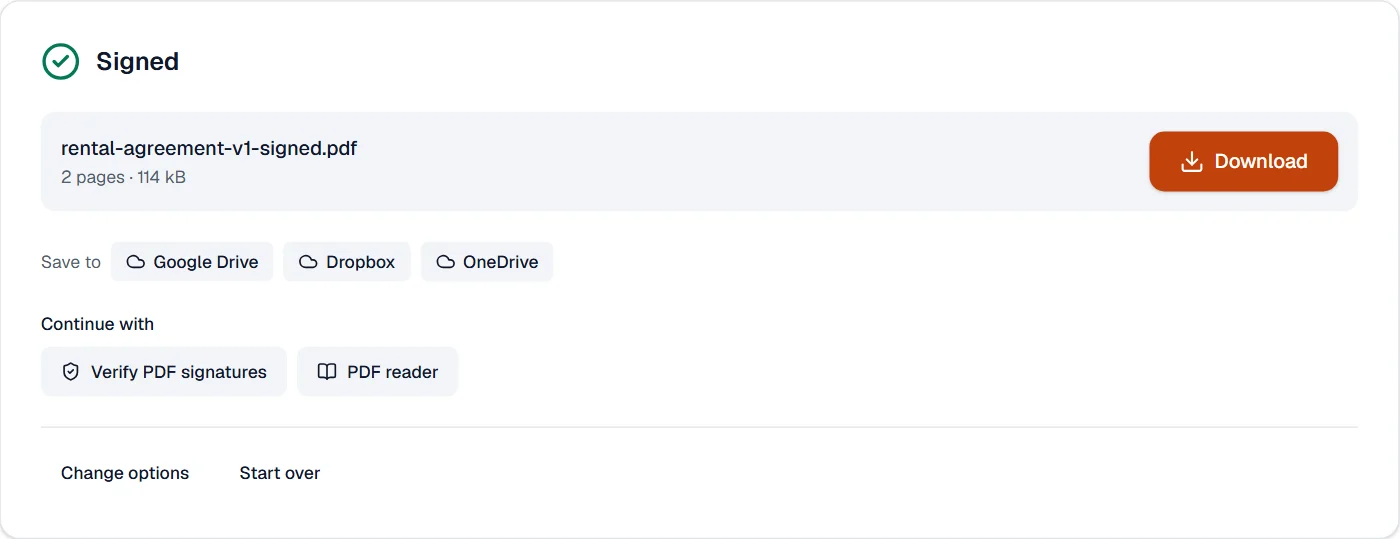
Every signed file is checked by Verify PDF signatures before it is offered to you, with the same code that checks anyone else’s.
Measured on our sample file
| Sample | Pages | Input | Output | Checks out | Time |
|---|---|---|---|---|---|
| Rental agreement | 2 | 41 kB | 114 kB | Yes | 0.4 s |
The file grows by the room kept for the signature, 32 KB written as 64 KB of hexadecimal digits as PDF requires, and by the font of the visible box.
What it looks like
What it cannot do
- Sign with a smart card or USB token: the key must be in a .p12 or .pfx file.
- Sign a password-protected PDF: remove the password first.
- Make your signature trusted if your certificate's authority is not on the Adobe list.
If something goes wrong
- That password does not open this certificate file.
- Type the password you chose when exporting the certificate.
- A PDF protected with a password cannot be signed here. Remove the password with Unlock PDF, then sign the result.
- Open it in Unlock PDF with its password first. Open Unlock PDF
- Acrobat says the signer's identity is unknown
- Your certificate's authority is not on the Adobe Approved Trust List. The signature itself is valid.
About Sign PDF with a certificate
Sign PDF with a certificate makes a digital signature with your own certificate, from a .p12 or .pfx file: a PAdES signature that Adobe Acrobat and other readers check, with a trusted timestamp that proves when you signed.
How to use Sign PDF with a certificate
Add the PDF and open your certificate file with its password.
Choose the kind of signature, where it shows and the reason.
Choose Sign PDF and download the signed document.
Frequently asked questions
- Does my certificate leave my computer?
- No. It is read in your browser's memory, used there and never stored or sent. Only the signature's fingerprint goes out, for the timestamp.
- Will Adobe Acrobat show my signature as valid?
- As valid and trusted when your certificate comes from an authority on the Adobe Approved Trust List; otherwise as valid with an unknown signer.
- Where do I get a certificate?
- From a certificate authority, your employer or your country's digital ID service; export it with its private key as a .p12 or .pfx file.
- Can someone else sign after me?
- Yes, with an ordinary signature. Earlier signatures stay valid because each signature is added to the end of the file.
- What is a certifying signature?
- The first signature of a document, which also says what may change after it: nothing, or only form filling and signing.
Related tools
- Verify PDF signaturesCheck every digital signature in a PDF: who signed, when, and whether it changed since; and whether a copy was signed through our sign requests.
- Fill and sign PDFFill in a PDF form, then sign it in the editor.
- Protect PDFAdd a password with strong AES-256 encryption.
- Flatten PDFMake form fields, comments and drawings a permanent part of the page.