
Merge PDF
Combine several PDFs into one, in the order you want, or the front and back sides of a scan made one side at a time.
or drop files here
You can also paste with Ctrl+V
A document we wrote for this: nothing of yours is used.
Processed on your device. Files are never uploaded.
Quick facts
- Takes
- Several PDFs at a time: up to 10 on the free plan, 50 with Pro; or the fronts and backs of a one-sided scan, two files. A password-protected PDF is opened once its password is typed on the file card.
- Gives
- One PDF with every page of every file, in the order you set. Pages are copied as they are: same size, same text, same pictures, same fonts.
- Runs
- In your browser. The files are never uploaded, and nothing is kept anywhere.
- Plan
- Free, with no account and no watermark: 10 tasks a day, on files up to 50 MB and 100 pages. Pro has no daily count and takes files up to 500 MB, with no page limit.
- Order
- Drag the files into place, or move one with the keyboard. The page count of the result is shown before you press Merge.
What is kept, and what is not
Merging copies pages, not files. Each page arrives with everything it needs: its fonts, its pictures, its drawings and its links. A link from one page to another page of the same file keeps working when both pages are in the result; a link to a page that is not included is cut, so no hidden copy of an excluded page can travel along inside the output. The pictures and fonts a file shares between its own pages are stored once.
What belongs to the files as a whole comes along too: each file’s bookmarks, pointing at its pages in the result, or gathered under one bookmark per file if you choose; the files attached to the documents; their layers, a hidden layer still hidden; and their page labels, such as iv for a preface. Three things do not survive, and the result says so when they were there: form fields keep their values but can no longer be edited, the tags screen readers follow are not carried over, and a digital signature does not carry over to a changed file. The merged file also starts with no title or author of its own; set them in Edit PDF properties if you need them.
Measured on our sample files
| Files | Pages | Input | Output | Time |
|---|---|---|---|---|
| The report and the agreement | 5 | 69 kB | 68 kB | 0.2 s |
| Every PDF sample, 6 files | 15 | 2.7 MB | 2.7 MB | 0.4 s |
Read it as what to expect: the output is about the size of its inputs put together, because pages are copied rather than re-encoded, and a merge of a few megabytes takes a second or two on an ordinary laptop. To make the result smaller, run it through Compress PDF afterwards.
What it looks like
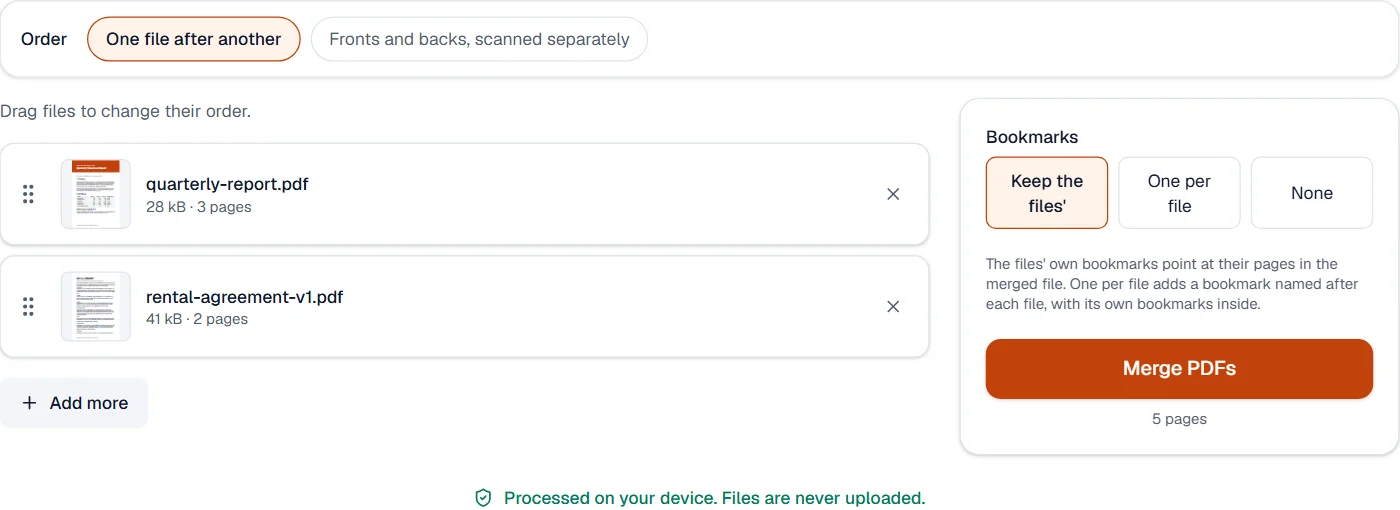
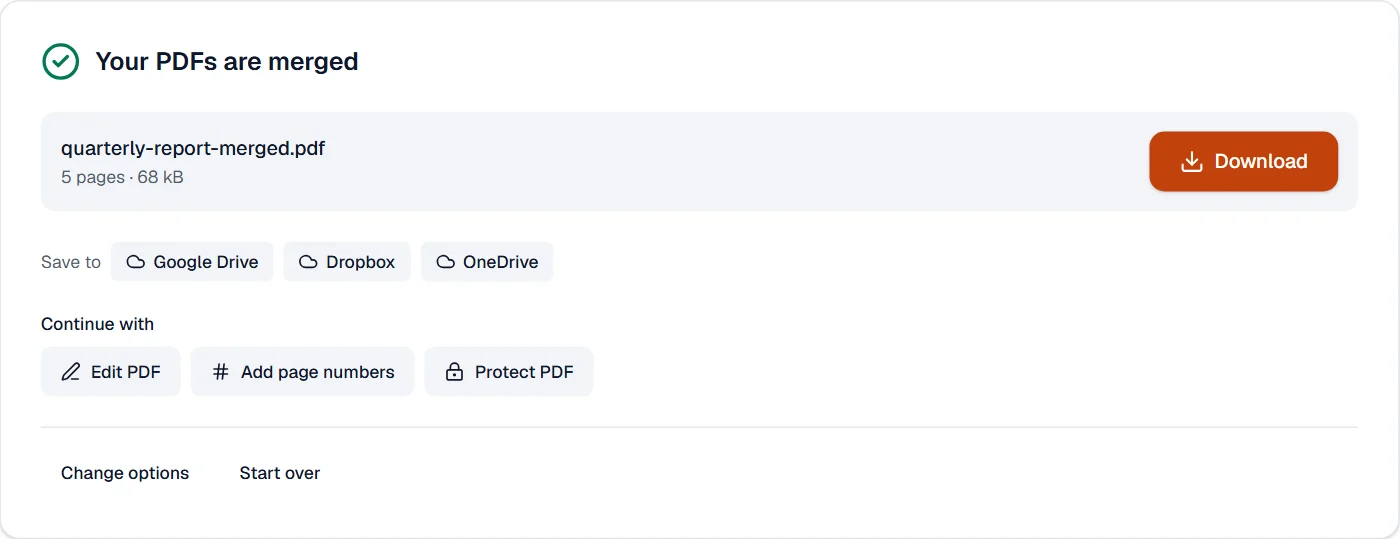
Fronts and backs, scanned separately
Choose Fronts and backs above the files when a scanner that turns no pages gave you the front sides in one file and the back sides in another: each front is followed by its back.
Quick facts
- Takes
- Two PDFs: the front sides, then the back sides.
- Gives
- One PDF with each front followed by its back; the backs taken last first unless you untick the box.
- Runs
- In your browser. The files are never uploaded.
- Plan
- Free, with no account and no watermark: 10 tasks a day, on files up to 50 MB and 100 pages. Pro has no daily count and takes files up to 500 MB, with no page limit.
Fronts and backs, page by page
A scanner that turns no pages scans the front sides of a stack; turned over, the stack gives the back sides from the last to the first. The pages are put together as front 1, back 1, front 2, back 2, with the backs read in reverse when the box is ticked. When one file has more pages, they come at the end, so nothing is lost. Each page is copied whole.
Measured on our sample files
| Samples | Pages | Time |
|---|---|---|
| Handbook fronts and backs | 8 | 0.1 s |
What it cannot do
- Merge other kinds of file. A Word document or a picture is converted to PDF first, with Word to PDF or JPG to PDF, then merged.
- Keep form fields fillable. Their values stay on the page; the fields stop being editable. Fill the forms first, or merge and then add fields again with Create PDF form.
- Keep the tags screen readers follow. A merged file is not tagged, and the result says so when one of the files was.
- Keep a digital signature valid. A signature certifies one exact file; a merged file is a different one.
- Pick pages. Merge takes whole files; to take some pages of several files, split or extract them first, then merge the parts. Organize PDF reorders pages within one file.
- Open a password-protected file without its password. You are asked for it on the file card; the merged file is not protected unless you protect it afterwards.
- Tell fronts from backs by looking at them. It pairs the first file with the second as you set them; swap them if they are the wrong way round.
- Drop blank backs. Remove blank pages takes them out afterwards.
If something goes wrong
- Add at least two PDF files to merge.
- One file has nothing to merge with. Add another, or use Organize PDF to reorder the pages of a single file. Open Organize PDF
- This PDF is protected. Enter its password to continue.
- Open it in Unlock PDF with its password, merge the unlocked copy, and protect the result again if needed. Open Unlock PDF
- This PDF is damaged and can't be read.
- Run it through Repair PDF first; the repaired copy usually merges normally. Open Repair PDF
- The result is larger than I expected
- Pages bring their own fonts and pictures, and two files that embed the same font each bring a copy. Compress PDF stores repeated pictures once and compacts the rest. Open Compress PDF
- The pages come out in the wrong order
- Untick the reverse box when the backs are already first to last, or swap the two files.
- Blank pages are left in
- Remove blank pages finds them and takes them out. Open Remove pages
About Merge PDF
Merge PDF combines several PDF files into one document in the order you choose. It runs in your browser, so contracts, invoices and scans are joined on your own device in seconds, without uploads.
How to use Merge PDF
Add two or more PDF files by dropping them on the page or choosing them from your device.
Drag the files into the order you want; the first one starts the merged document.
Choose Merge PDFs and download the single combined file.
Frequently asked questions
- Are the files uploaded to a server?
- No. Merging happens entirely in your browser; the files never leave your device and there is nothing to delete afterwards.
- Do bookmarks, links and form fields survive the merge?
- Each file's own bookmarks come along, or are gathered under one bookmark per file if you choose. Links inside each document keep working. Form fields keep their values but can no longer be filled in.
- Can I merge password-protected PDFs?
- Yes; you are asked for the password of each protected file and it is used on your device only. The merged document is not protected unless you protect it afterwards.
- Can I merge a PDF with JPG or other pictures?
- Turn the pictures into a PDF first with JPG to PDF, then merge the two files here. Both steps are free and happen in your browser.
- Is there a limit on how many files I can merge?
- On the free plan, up to 10 files at a time, each up to 50 MB and 100 pages. With Pro, up to 50 files, each up to 500 MB, and pages are not counted: what your device can hold is the only real limit.
- Why are the back sides in reverse?
- A scanner without a duplex feeder scans the top of the stack first. Turn the stack over for the backs and the last page’s back comes first, so the backs run from last to first.
- What if the two files have a different number of pages?
- The pages are paired as far as both go, and what one file has more of comes at the end.
Related tools
- Split PDFSplit a PDF into several files by page ranges or page count, at its bookmarks, or into parts under a size.
- Organize PDFReorder, rotate, duplicate, delete or reverse pages visually, and add blank pages or another PDF’s pages where you choose.
- Compress PDFMake a PDF smaller, down to an exact size if you need one.
- Remove pagesDelete the pages you don’t need from a PDF, picked by hand or found blank.